scrapersautomationoperationsmulti-accountingdatasets
The Two-Lane Rule for Cold Email
Every email provider forbids cold outreach to scraped lists. So the cold lane leaves through your own mailboxes, and Resend carries only the replies.
Argus · · 12 min read
The rule every provider writes down and nobody reads
Resend's acceptable-use policy prohibits cold outreach, purchased lists and scraped contact data. So does Postmark's. So does SendGrid's. The penalty is not a bounce or a spam folder — it is the account, and with it the domain reputation you spent months building.
This is not a footnote. It is the single fact that decides the architecture of every outbound system, and almost every "AI SDR" product on the market is quietly built as though it were not true: one API key, one sender, cold and warm mail down the same pipe. That works until the provider notices, and then it stops working all at once.
So the outbound side of Argus has two lanes, and they are physically different transports:
- Cold first-touch leaves through your own mailboxes, over each identity's own proxy, warmed and capped and jittered.
- Warm mail — people who replied, or ticked a box — leaves through Resend, from a verified domain, over an ordinary connection.
Nothing crosses between them. This post is the whole pipeline that fills those lanes, built out of parts that ship today, with the limits stated where they are real.
Where the addresses come from, signed out
The scrapers sign in to nothing. That is not caution, it is the settled law: hiQ scraped LinkedIn signed in and lost; Bright Data scraped Meta signed out and won. Every LinkedIn card in Argus therefore asks for no account and holds none, and the shape of the pipeline follows from that constraint rather than fighting it.
Three cards do the work, in order.
LinkedIn Post Comments takes a post URL and returns the people who publicly commented on it — name, what they wrote, when, and how many likes it drew, one row per comment. This is the interesting starting point, because a comment is a far stronger signal than a job title. Someone who argued with a post about warehouse automation last Tuesday has told you more about their week than any firmographic filter will.
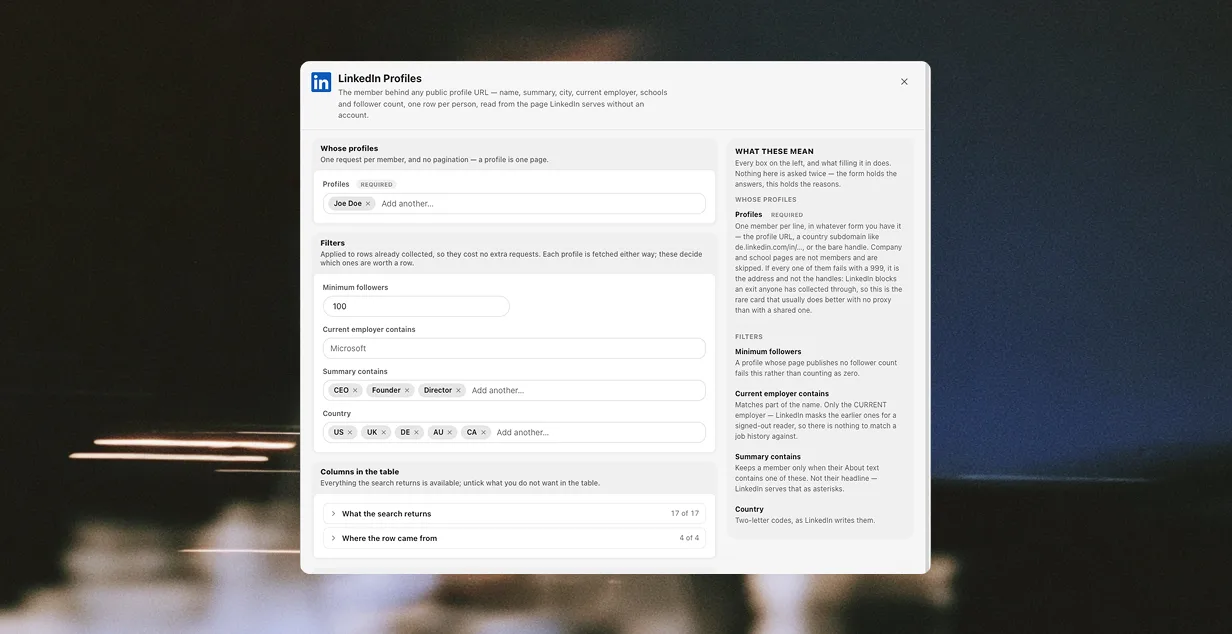
LinkedIn Profiles takes those profile URLs and returns the member behind each one: summary, city, current employer, the employer's page URL, schools, follower count. Note what it takes — a list of URLs or handles. It is not a search, and it is not a Sales Navigator export. You cannot hand it "VPs of Operations in Rotterdam" and get a list back. It resolves people you already have a pointer to, which is exactly why the comments card comes first.
LinkedIn Companies takes the employer slugs and, with one checkbox, does the part that actually produces an address. Ticking Find email addresses opens each company's own website — the one in the Website column, not the LinkedIn page — and walks a list of the paths a contact tends to live behind: /team, /our-team, /people, /about, /contact, /impressum, and their Dutch and German equivalents.
That last distinction is the one that matters legally and the one most tools blur. The address is not extracted from LinkedIn. It is published by the company, on the company's own site, for the purpose of being contacted. LinkedIn was the index; the website is the source.
It is also the slow half, and worth being plain about: a company page is one request, and contact discovery adds up to fifteen more per company. Collection that takes six seconds without it takes minutes with it.
What the signed-out ceiling actually is
Here is the limit, stated where a vendor would bury it.
Signed out, LinkedIn shows a reader the first eight to ten comments on a post and walls the rest, and it never shows who merely reacted. So one post does not yield two hundred leads. It yields eight or ten, of whom perhaps six have a resolvable employer and perhaps three have a discoverable address.
That is a real number and it sounds small. It is also the honest ceiling of the signed-out approach, and the reason the pipeline is pointed at many posts rather than one. Twenty posts in a niche is a couple of hundred people who each chose to say something in public about the thing you sell. Compared to a bought list of fifty thousand addresses, that is not a downgrade.
If you want the wall gone, the only way through it is an account, and an account is the side of hiQ that lost. We would rather ship the ceiling than pretend it isn't there.
How a row moves, and what it is allowed to become
Each collector files into a table. The step that runs them can either make a fresh table per run or accumulate into one you name, matching on a key so a second run updates a row rather than duplicating it. Pointed at the profile URL, re-running the comments card on the same twenty posts next week adds the new commenters and leaves the old ones alone.
From there the rows are copied into an outreach table with a status column, and the status is most of what decides what may happen to a row next:
queued— has an address, has never been mailedprepared— the four personalisation values are filled intouch_1,touch_2— mailed, and whenbounced— the address did not survive verificationfinished,replied,booked,unsubscribed,refused— where a row stops
Only prepared, touch_1, touch_2 and bounced are ever written by a step. The last five are values a person sets, and that division is the point rather than an omission: nothing here detects a reply, so the states that take somebody out of the sequence are the ones you control. A status column that moved itself would be the worst possible lie to tell someone about their own pipeline.
A row that stops is never picked up again, because the touches select on status and on consent, and nothing anywhere writes queued back. That is a smaller guarantee than a workflow engine would offer and it is the one that actually matters: the failure mode of outbound is not a missed send, it is mailing somebody who told you to stop.
Verification sits between prepared and the first send. An address discovered on a company's /team page is a claim, not a fact — the page may be three years stale — so a verifyEmail step checks it against a verification service before the send step ever books a slot. A bounce costs more than a check does.
The proxy advice that is backwards for LinkedIn
Every other collector in Argus advises a proxy, because volume from one address draws a rate limit. LinkedIn inverts this, and it took a measurement to believe it.
LinkedIn bans an exit that anyone has collected through, permanently. So a shared or rented address is usually already spent for linkedin.com while still passing an ordinary health check — the proxy checker probes Cloudflare, Google, Reddit, Instagram and Facebook, and deliberately not LinkedIn, so the address looks perfectly healthy right up until it isn't. Adding LinkedIn to that list would be self-defeating: the check itself would burn the exit.
Measured on 29 August 2026: eight back-to-back requests from an ordinary home address all answered 200, while the same handle through a residential pool answered 999.
So these cards ship with proxy guidance switched off. An earlier version advised a proxy here and actively caused that failure, by telling people to pick a rotating address for the one target where an untouched address is worth more than a rotating one. The setting is a boolean and cannot say "a proxy, but only one nothing else has touched" — so it says nothing, and the hint carries the nuance.
None of the collection opens a browser window at all. It runs on an HTTP engine, which is its own story.
Lane one: cold, out through your own mailboxes
The rows land in a dataset. A lead, in Argus, is not a special entity with its own tab — it is a row with an email column, in a table you can sort, filter and edit like any other. That is deliberate, and it means the outreach automation reads the same way any other automation does.
The cold lane is a sendEmail step inside a loop, and the whole design is in what the step refuses to do. Every send is booked in the workspace's ledger before it leaves, and refused if:
- the mailbox has spent its daily cap
- the mailbox is still warming up
- the address is on the suppression list
- this scope already emailed that address inside the repeat guard
A refusal is recorded rather than dropped, which is the difference between a system you can audit and a number you have to trust.
Warm-up is 21 days, and it is not a checkbox but a date: set a mailbox's start date and the allowance climbs linearly from four messages on day one to its full cap on day 21, and clear it to send at the full cap immediately. The repeat guard defaults to 30 days and caps at 60. Sends are jittered by default, 45 seconds, up to 90.
And the mail leaves through the mailbox's own proxy, so the provider sees that identity's exit rather than your machine. This is the same profile isolation model the rest of Argus runs on, applied to SMTP: several mailboxes, each an identity, each with its own address, none of them aware of the others. It is multi-accounting pointed at outbound instead of at ad accounts.
Those numbers are worth doing arithmetic on before you plan a quarter around them. A single mailbox at a 50/day cap, honestly warmed, sends about 560 messages in its first 21 days and 50 a day after that. Four mailboxes in a pool make that 200 a day — which is a real outbound programme, and is also roughly two orders of magnitude below what a bought list and a single API key would let you attempt on the afternoon before the account is closed.
One more constraint worth stating because it surprises people: the step takes a mailbox or a pool, never both. A pool is a mail folder, and the least-used mailbox in it that still has allowance today is the one that sends. That is how volume spreads across identities without anyone hand-assigning rows.
Lane two: warm, over Resend
The second lane is a different step — sendBroadcast — over a Resend connector, and it is gated on a consent column rather than on a status.
It sends from the connector's verified From, over the launcher's own connection with no proxy, and adds RFC 8058 unsubscribe headers to every message pointing at the connector's reply-to. It is governed by the same ledger and the same suppression list as the cold lane, so a person who asked to be left alone is left alone regardless of which lane the next message would have come from.
The reason this is a second automation rather than a second branch inside the first is the whole point. A branch invites someone to move the condition. Two automations, two connectors, two transports means the scraped list cannot reach Resend by editing one field at two in the morning.
What this deliberately is not
The parts a competitor's landing page would claim, that Argus does not have:
There is no campaign engine. No enrollment, no sequences-as-a-feature, no Campaigns tab. Touch two mails a row only on a day that is not the day touch one reached it, because the condition language has no date comparison. The spacing between touches is however often you schedule the automation. That is a real limitation, not a design philosophy, and saying so is cheaper than being found out.
The model does not write the emails. The AI step in the prepared pipeline asks for four short factual values per row — a first name, a casual company name, a local place name, one sentence about them — and stops. It never drafts the message. You write the message once, with those four holes in it. This is the part people push back on hardest and the part we are least likely to change: a model that writes the whole email writes the same email to everyone, in the register that made cold outreach worthless in the first place.
It does not run without you. The caps and the suppression list live in the workspace, so the launcher window has to be open for mail to leave. Sending unchecked is worse than not sending.
There is no deliverability dashboard. The ledger records every send and every refusal and you can query it like any other table, but nothing in Argus tells you your domain reputation is slipping. Google Postmaster Tools does that, it is free, and it is the first thing to set up if you are going to run this seriously.
And it does not find you addresses that are not published. Three collectors discover contacts — Google Maps, LinkedIn Companies and Instagram Profiles — and all three do it by reading the row's own website. Nothing guesses firstname@company.com, and nothing buys a list.
Running it
The Outbound pack installs the cold half of that: three automations — one that verifies and prepares, then the two touches — over one table, chained by two triggers, with a project whose runbooks are the real deliverable. It arrives deliberately incomplete, because you supply the mailbox pool, the verification and model connectors, the consent column and the copy, and those are the four decisions no template should make for you.
The warm lane is not in the box. The sendBroadcast step, the connector and the consent column are all there, but a card that mails everyone who opted in is a card whose only interesting part is the list, and that list is yours.
Everything here is also reachable from an agent. The MCP server exposes the automation format, the scraper catalogue and the dataset layer as tools, so "build me the harvest step and point it at this post" is a sentence rather than an afternoon — with the same ledger, the same caps and the same two lanes underneath, because those live in the workspace rather than in the client.
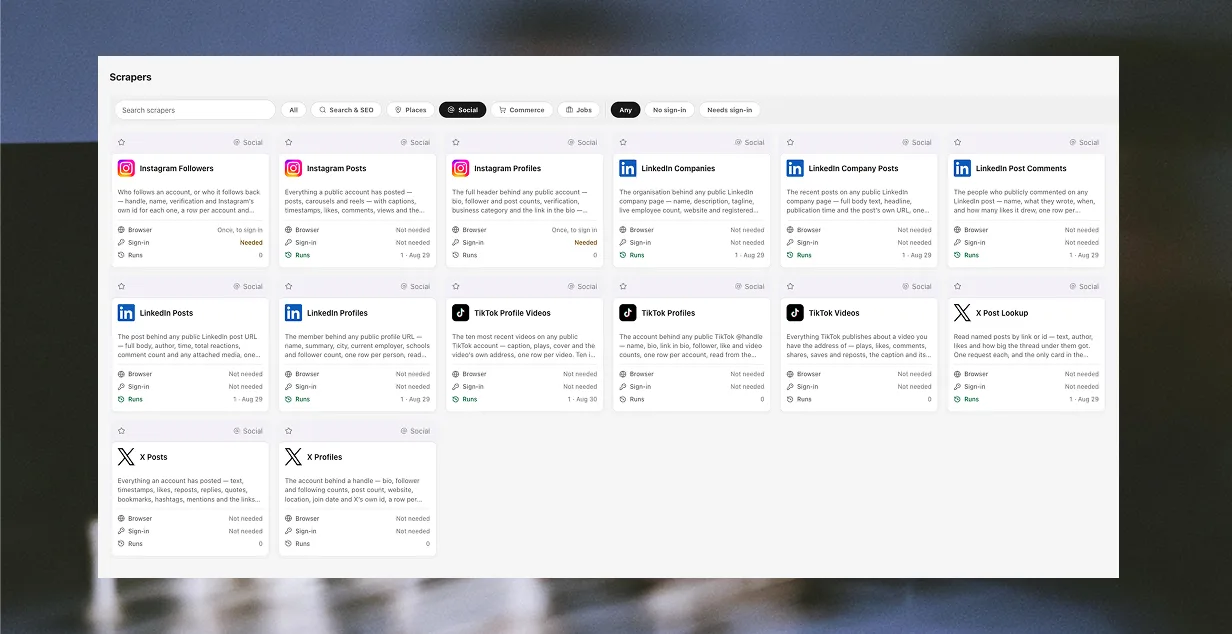
Download Argus to run it, or read what the scrapers collect first.