
Use case
Argus for web scraping
Two ways to collect, and a table your workspace owns at the end of both: prebuilt collectors that open no browser window at all, and a real profile behind your own proxy for the pages that have to be driven.






Most collection fails for the same two reasons: the client asking for the page is obviously not a browser, and the address it asks from is obviously a datacenter. Argus answers the first one twice. For a service it already has a collector for, the request leaves over plain HTTP wearing a real browser's TLS fingerprint and no window opens at all. For everything else there is a real Chromium on a real profile, driven by a workflow you built without code or by your own scripts over a local API. Both answer the second the same way: your proxies, one per profile. The sections below are the parts that matter.
Scrapers
29 collectors that open no window at all
The fastest collection is the one that never starts a browser. For the services Argus already has a card for — Maps listings, Instagram and TikTok and X and LinkedIn profiles and posts, Shopify catalogues, four job boards — a scraper takes a form and returns one typed table. The requests go out over plain HTTP through the profile's proxy, carrying a real browser's TLS fingerprint and header set rather than a Python client's. A Maps search that took eight to ten minutes in a window takes about six seconds in none.
Each card is written against one service's own replies and measured against them, so its page says exactly what it asks for and every column of the table it writes — 29 of them, and the column lists are generated from the app rather than described. They cost none of your plan's automation slots, they run from the tab, from a schedule, from an agent over MCP, or as one step in the middle of a bigger workflow. All but 2 of them collect signed out.
What none of them will do is drive a page, and there is no “scrape this URL for me”. When the data is only in rendered HTML, or the job operates an account of your own, the next section is the answer instead.
The browser
And a real browser for everything else
A headless client fails on the things a browser does without being asked: the page's scripts run, fonts and canvas resolve, the layout settles, and the content that only appears after all of that appears. Argus sessions are ordinary Chromium sessions, so the page you collect is the page a person would have seen.
The identity underneath is generated rather than hidden. Each profile gets a coherent hardware identity — platform, CPU cores, memory, screen, timezone, languages, and canvas, WebGL and audio handled in the renderer rather than by a script wrapper. A page reads the spoofed value because it is the only value present, not because something intercepted the real one. That distinction is the whole reason Argus ships its own browser instead of automating someone else's.
Proxies
Your own exits, checked before they are trusted
Argus does not sell you bandwidth and does not route your traffic. You bring proxies from whichever provider you already use, they live in a shared library, and each profile is assigned one. HTTP and SOCKS5 both work, including the authenticated SOCKS5 variant plain Chromium cannot speak at all.
Health checks report the egress IP, the country and the latency, and run automatically for new or failing proxies — concurrently, rather than one at a time. A proxy that fails blocks the launch instead of leaking your real address into a collection run, and a slower background sweep loads real sites through each proxy so a row can name which site refused it. Your workspace picks both the sites in that sweep and which of them are strict enough to stop a launch.
Automation
Build the run without writing the run
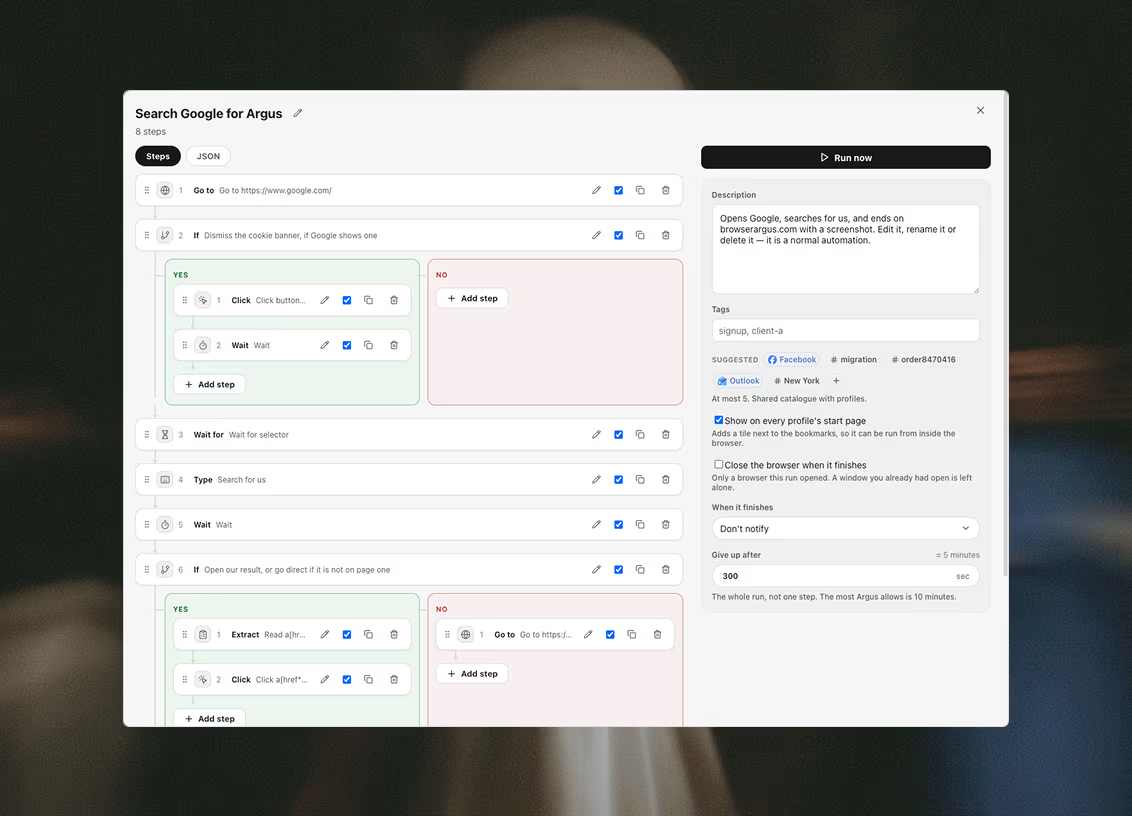
An automation is an ordered set of steps on a canvas — navigate, wait, read, click, extract, branch, loop — that executes inside a chosen profile with that profile's proxy, cookies and fingerprint. It is the same session you would have opened by hand, minus the hand.
Runs can start from a profile's start page, from the calendar, or from your own code. Every run is recorded, so you can read back what each step actually did rather than guessing why a field came out empty.
Datasets
The rows land in a table, not in a log
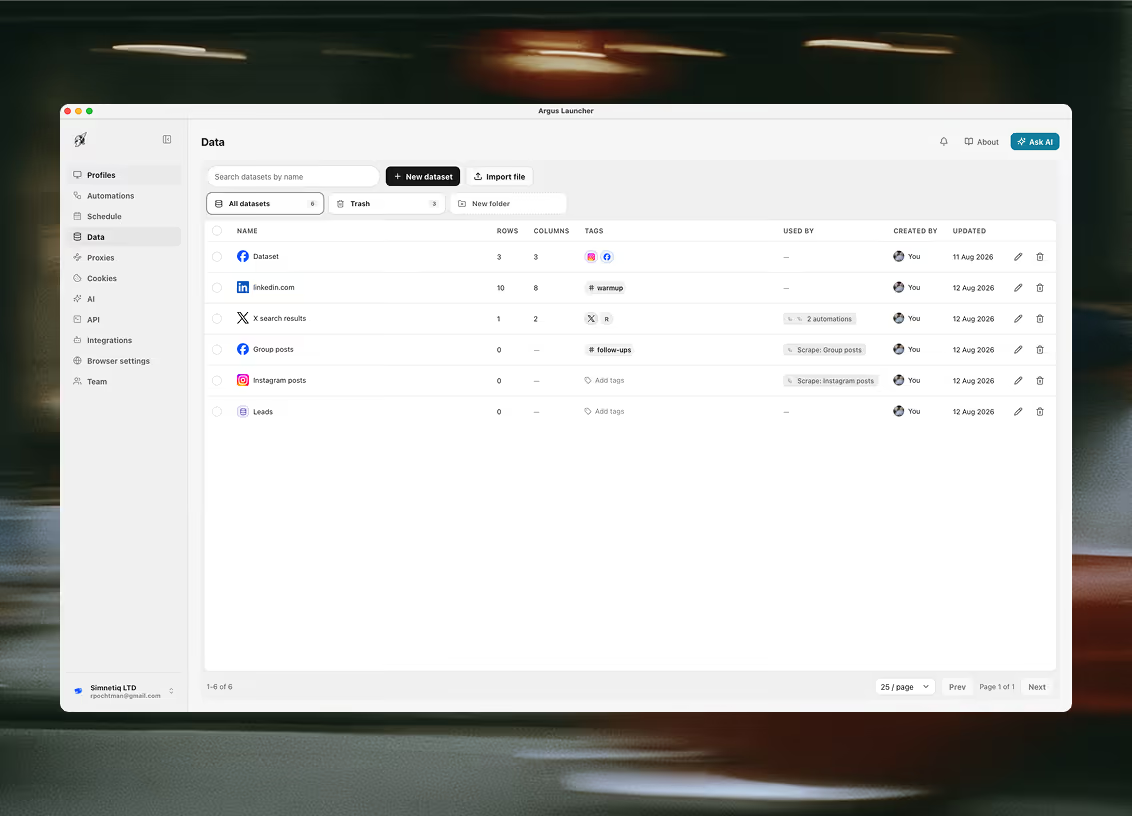
A collection run that prints to a console has produced nothing durable. Argus writes into a dataset: a table your workspace owns, with columns you named and typed — text, number, checkbox, date, select, tags, URL, email, phone. It is stored in the workspace rather than on one machine, so a colleague opens the same table you do.
The save rows step writes today's results; the load rows step reads tomorrow's work list back out, which is what turns a one-off scrape into a standing job. Import CSV, JSON, TXT or XLSX to seed a table or append to it, edit in the grid, filter, sort, freeze the first column, and export the whole thing as CSV or JSON when it needs to leave.
Local API · MCP
Or drive the whole thing from your own code
If you would rather orchestrate this yourself, the launcher exposes a local HTTP API: create and change profiles, assign proxies, update a fingerprint, launch a session, run an automation and read back what it did. Keys are scoped to the folders you name, and can be created, listed and revoked.
It is loopback — on your machine, not ours. There is no hosted endpoint and nothing about your collection passes through us. The same surface is exposed over MCP, so an agent can drive it with the same tools you would, and every request from a new client raises an approve-or-deny prompt in the app before it is answered. Neither the API nor the MCP tools sit behind a plan — both work on the free tier.
Acceptable use
Where this stops
We would rather be specific than vague. Automating your own work in your own accounts, and scraping data that is lawfully accessible to you, are ordinary uses of Argus and our acceptable use policy says so in as many words.
What the same policy prohibits is collecting personal data in breach of data protection law, or processing personal data you have no lawful basis to process — along with signing into accounts that are not yours and attacking or overloading a service. Those lines are drawn where the law draws them, not wherever is convenient.
Questions this comes with
Is this a headless scraper?
The opposite. Argus sessions are ordinary Chromium sessions with a window, which is why the pages come back complete: the scripts run, fonts and canvas resolve, the layout settles, and the content that only appears after all of that appears. A headless client fails on exactly those things. The identity underneath is generated rather than hidden — canvas, WebGL and audio are handled in the renderer rather than by a script wrapper, so a page reads the substituted value because it is the only value present.
Do I have to write code?
No, but you can. An automation is a tree of steps built in the app — navigate, click, type, extract, run scripts, ask a model, branch, loop, notify — run against one profile through its proxy, cookies and fingerprint. If you would rather drive it yourself, the launcher serves a local HTTP API with scoped keys covering profile and proxy management, fingerprint updates, launching sessions and authoring automations.
Is the API hosted? Can I call it from my server?
It is local only. The API listens on loopback on the machine running Argus, so nothing off that machine can reach it, and there is no hosted web API, no SDK to install and no rate limit. Keys are minted in the launcher's API tab, shown once, and can be scoped to folders; the first request from any new client raises an approve-or-deny prompt in the app before anything is served.
Where do the collected rows end up?
In a dataset in your workspace by default — a typed table with columns you name, shared with your organization, that the save rows step writes into and the load rows step reads back out of on the next run. Point the same step at a data connector instead and it lands wherever you send it. Datasets can also be built by importing a CSV, JSON, TXT or XLSX file, edited in the grid, and exported whole.
Does the collection run in the cloud while I sleep?
No. Automations run in the desktop app on your own machine, so nothing executes while the launcher is closed, and a scheduled slot it was closed for is marked missed and skipped rather than caught up. Keep awake asks the operating system not to idle-sleep while the launcher runs, and two machines signed into one workspace cannot double-run a slot — the first to reach it claims it and the other steps aside.
What is off-limits?
Our acceptable use policy prohibits collecting personal data in breach of data protection law, processing personal data you have no lawful basis to process, signing into accounts that are not yours, and attacking or overloading a service. Those lines are drawn where the law draws them. Collecting public pages is not on that list, and the policy says so in as many words.
Related use cases
Teams next door run into the same three problems
E-commerce
Every storefront, every marketplace account and every region its own browser: one seller identity per profile, behind the proxy the marketplace expects it to arrive from.
Affiliate marketing
A profile per ad account and a proxy per geo, so a ban on one asset is one asset — not the whole buying operation walking out the door with it.
Journalists
Research under an identity that isn't yours: every session opens clean, behind its own proxy and its own coherent fingerprint.

Ready to run profiles at scale?
Download Argus for Mac or Windows and start free with 5 profiles.