Teamwork
Seats on one workspace, not licence keys in an email
Everyone signs into the same organization and sees the same pool of profiles, proxies and cookie sets. Nothing lives on one laptop, so nothing leaves with one.
The moment a second person touches the accounts, the problem changes shape. It stops being about fingerprints and becomes about who can reach what, what happens when two people edit at once, and how somebody hands over without a week of meetings. Five sections, including one about what Argus does not do yet.
Cloud sync
One pool, not one copy each
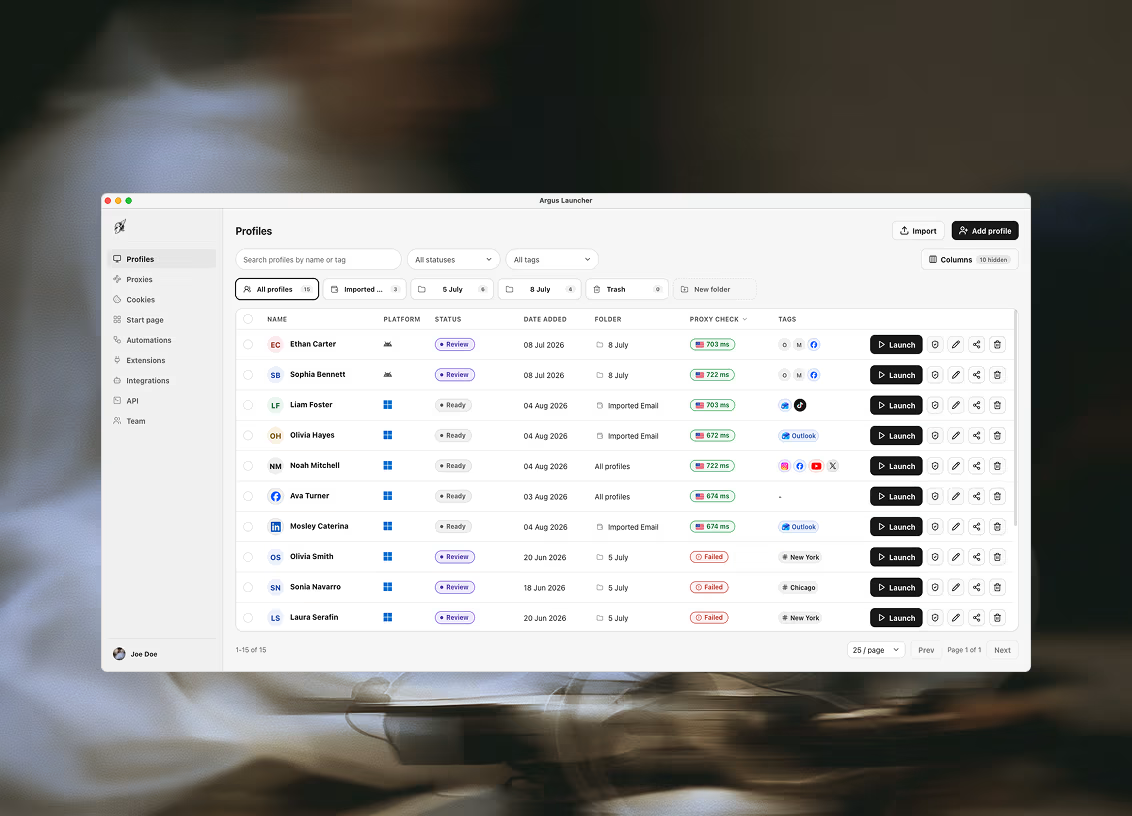
Sign in with an email and password and your workspace follows you. Profiles, proxies, cookie sets, folders, statuses and bookmarks sync to the organization, so a second machine — or a second person — opens the same library rather than an export of it.
This is the difference between a workspace and a file. There is no roster to email around, no version that is newer than the one your colleague has, and no moment where two people are working from two different truths.
How writes work
Two people on the same list cannot overwrite each other
Every write touches a single row. Somebody changing a profile's proxy while you are renaming it does not replace your change with theirs, because neither of you is saving a whole document — a habit that shared spreadsheets never manage to break.
The same principle holds for the schedule, where two machines signed into one workspace could otherwise both fire the same slot. They cannot: the first to reach it claims it and the other steps aside.
Cookie sets
Give somebody the account without giving them the password
This is the part that actually changes how a team works. Sign in once, save the session as a cookie set, assign it to a profile, and the cookies are seeded into the session at launch — so whoever opens that profile lands already signed in.
The password was never shared, so it never has to be rotated when the team changes. Nobody waits on the one colleague whose phone receives the codes. And handover is nothing: the new hire signs into the workspace and the roster is simply there, because it never lived on the old one's laptop.
Projects · API keys
Narrowing what a person or a tool is pointed at
Projects group the profiles, proxies, cookie sets, automations, datasets and schedule entries that serve one client or campaign. Pick a project on any tab and the tab narrows to its things — a working scope rather than a permission boundary, and worth being precise about which of the two it is.
A real boundary does exist for tooling: keys for the local API are scoped to the folders you name, and can be created, listed and revoked. Every request from a new client raises an approve-or-deny prompt in the app before it is answered. Inside a project you can also set the assistant's autonomy, name tools it may never call there, and bound the hours it may change anything — limits checked in the app's own code before a tool runs, rather than asked of the model.
What is not here yet
Two things we do not have, said plainly
There is no per-resource permission model. A member of a workspace can reach the workspace — there is no way today to give somebody profiles but not proxies, or read-only access to a folder. If your buying decision depends on that, it is a no rather than a nearly.
And there is no activity log. You cannot yet ask who launched a profile last Tuesday. Both are wanted and neither ships today, and we would rather you read that here than discover it after paying for seats.
Plans
How many seats come with what
Seats are per workspace, and the workspace is what carries the plan. Every tier below the ones listed here is a single seat — still synced across as many of your own machines as you sign in on.
- Team — 10 seats, 300 profiles, $159/30 days
- Enterprise — 25 seats, 1000 profiles, $299/30 days
Plan entitlements are enforced in the database rather than only in the interface, so the limit is a property of the account and not a check the app is trusted to make. One more thing worth knowing before a purchase: a subscription belongs to the workspace, and only its owner can buy — a new workspace does not inherit a plan from an old one.

Ready to run profiles at scale?
Download Argus for Mac or Windows and start free with 5 profiles.