
Use case
Argus for crypto and Web3
A profile per wallet and a profile per exchange account: each one its own browser, its own proxy and its own coherent device, so nothing you run links back to anything else you run.




Web3 work is many identities at once: a wallet for the money, wallets for the farming, an account on each exchange, and a testnet address that has touched forty sites. Run them from one browser and every one of them can be tied to every other. The five situations below are where that goes wrong, and what Argus does about each.
Profiles · Isolation
One wallet, one browser — not one browser, twelve wallets
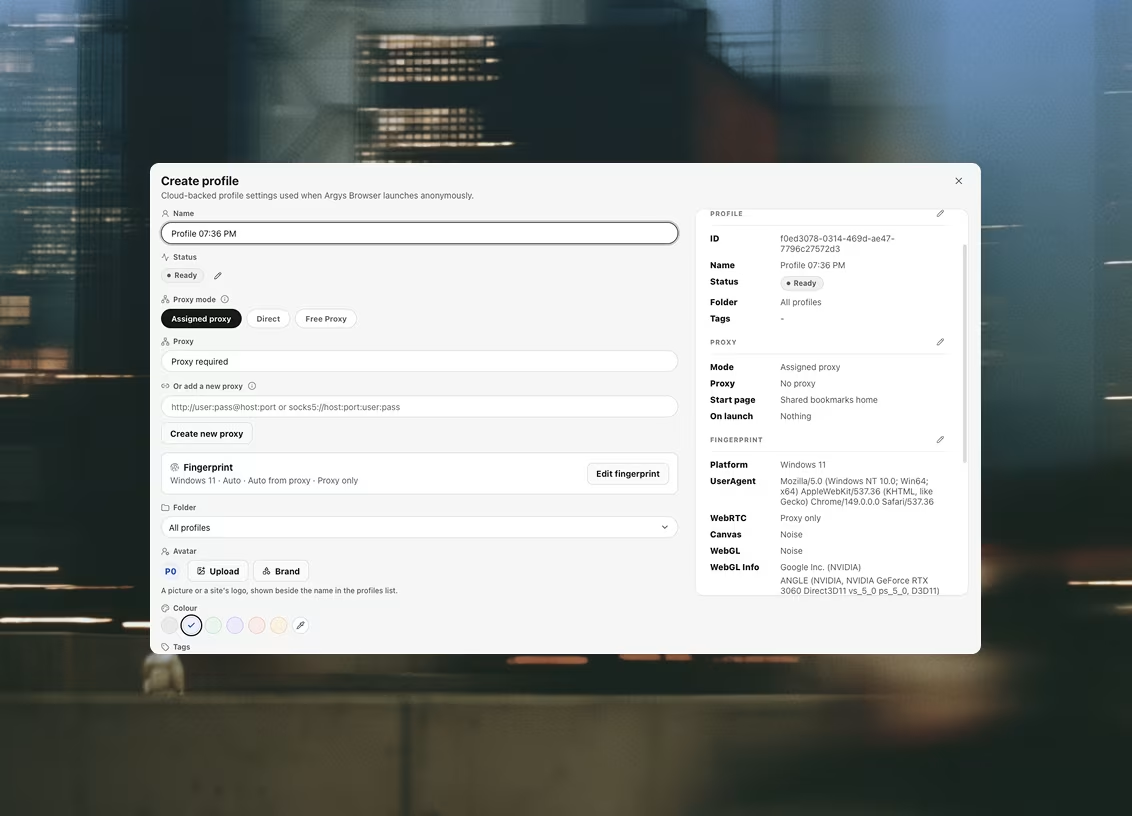
A profile in Argus is a whole browser: its own storage, its own cookies, its own extensions and its own isolated session. Two wallets living in one browser share all of that, and any site either of them connects to can see they do. Give each wallet its own profile and that link is not there to be found — not in local storage, not in a cookie, not in a shared extension's state.
Which is what makes the ordinary hygiene actually enforceable: the wallet holding the money lives in a profile that connects to nothing, and the burners live in the profiles that do the visiting. Not a habit you have to remember — a separation the browser cannot break.
Fingerprints
Each account on its own believable machine
Isolated storage stops the obvious link and does nothing about the quiet one. Two profiles that report the same platform, the same CPU count, the same memory, the same screen and the same fonts are two profiles on one machine, and a site that cares can see it. Every Argus profile generates a coherent hardware identity — platform, CPU, memory, screen, timezone and languages made together, so nothing contradicts anything else — and presents the same one on every launch.
Coherent is the word that matters. A random fingerprint is as much of a signal as a shared one: an iPhone reporting eight CPU cores and a 2560px desktop screen is not a device anybody owns.
Proxies
An exchange account that stays where it has always been
Exchanges watch where a session comes from, and they watch hardest when three accounts arrive from one address. Argus keeps proxies in a shared library with live health checks rather than a text field per profile: assign one to an account once and leave it there. A proxy that fails its check blocks the launch instead of quietly falling back to your real address — which, on an exchange account, is the difference between a failed launch and a review.
Proxies bought by the month can carry the date they run out, so you get a warning a week ahead and a confirmation prompt before anything launches behind one that has already expired.
Automation · Datasets
Checking forty campaigns without opening forty tabs
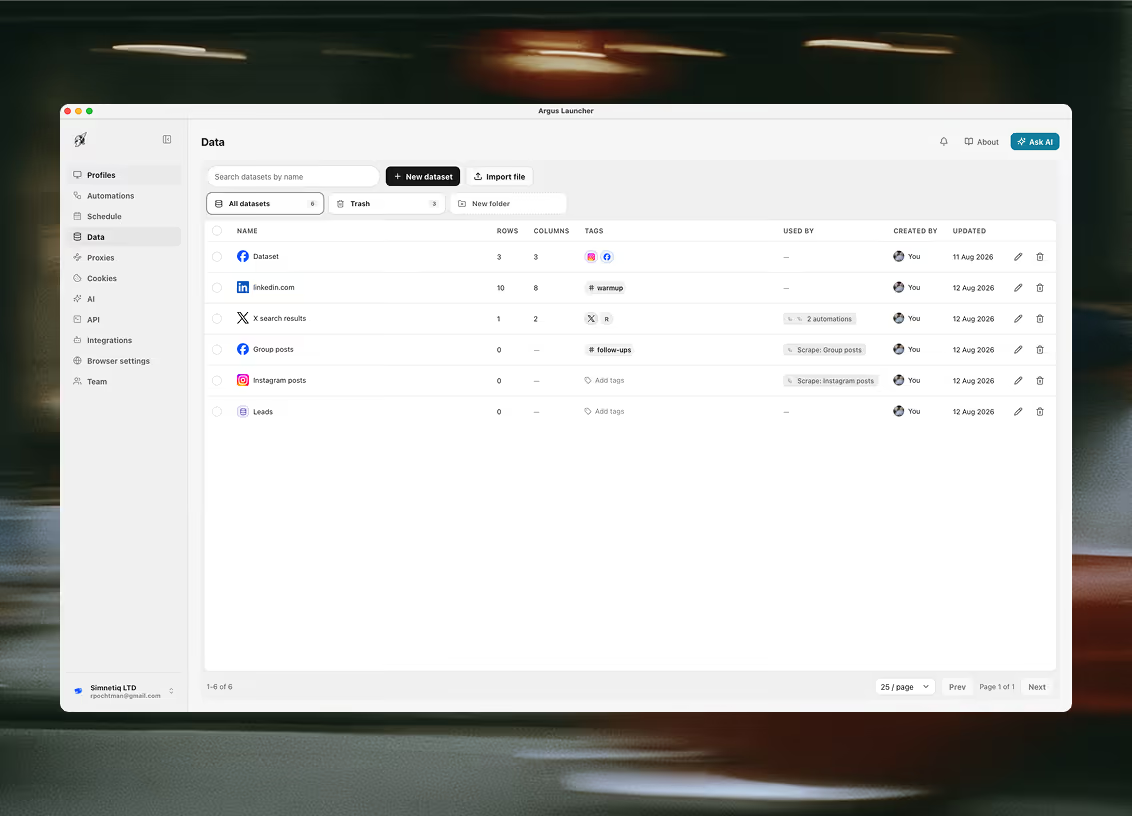
Keep the campaigns in a dataset — one row per campaign per profile, with its URL, its network and a status — and one automation reads its own profile's rows, opens each page in that profile's session and writes back what it found. The same shape covers testnet faucets and an exchange's balances page. Argus ships all of it as a loadable starter pack, so the first run is an edit rather than a build.
The sweeps read pages. They do not connect a wallet, do not claim and do not submit — a claim binds to your address, and pressing that button for you would be making a request you had not read. Every run leaves a screenshot in its log, which is the part you actually want at the end of a week.
The honest limit
Nothing here moves your money, and nothing here holds your keys
Argus is a browser, not a wallet and not an exchange client. It stores no seed phrase, no private key and no exchange API key, and there is no integration to connect one — a credential kept in a shared workspace is readable by that workspace, and no amount of masking changes it. What Argus drives is the session you are already signed in to, with that profile's own cookies and proxy behind it.
So the withdrawal workflow in the starter pack does exactly half the job: it opens the form, refuses to continue if the exchange is showing a login screen, fills the amount, screenshots — and stops. You read the confirmation screen and enter the code yourself. There is no setting that turns that off, and there is not going to be one.
Questions this comes with
Does Argus hold my keys or sign transactions?
No. Argus does not hold your keys, does not sign anything and does not confirm a withdrawal. It is a browser and a launcher: the wallet extension you already use runs inside a profile, with that profile's own storage, proxy and hardware identity, and the seed phrase never touches anything Argus stores. An automation can open a withdrawal form, refuse to continue if the exchange is showing a login screen, fill an amount and screenshot — and then it stops. You read the confirmation and enter the code yourself.
Will a profile per wallet stop on-chain clustering?
No, and this is the limit worth understanding before you buy anything. Chain analysis reads the ledger: funding paths, timing, amounts, address reuse. None of that touches the browser, so no browser can do anything about it. What a profile per wallet separates is the browser-side half — the storage, the device and the exit IP that would otherwise say two wallets were opened by one machine. Anyone selling you a browser as an answer to on-chain clustering is selling you something that does not exist.
Do I need a separate proxy for each exchange account?
For accounts that have to survive a verification review, yes — the address is half of what an exchange reads on arrival, and an account registered in one country that signs in from three is a question waiting to be asked. Any HTTP or SOCKS5 endpoint works, including authenticated SOCKS5, and a proxy that fails its health check blocks the launch instead of quietly falling back to your real connection.
Where are exchange API keys and AI provider keys stored?
In your workspace, as a connector, so a key is entered once and every machine you sign in from uses the same one. Two consequences are worth knowing before you paste one in: anyone in the workspace who can open the connectors list can read it, and the local API returns a connector's full configuration to any Argus key allowed to read connectors. Argus masks credentials in its own interface, but that is a convenience rather than a security boundary — give a connector the narrowest key the provider will issue.
Can the browser see my account or my other profiles?
No, and that is deliberate. The launcher hands the browser one launch payload — a profile id, a fingerprint, proxy settings, a data directory, extension paths — and nothing else. The browser has no credentials, cannot sign in, and has no knowledge of your other profiles or your organization's data.
Related use cases
Teams next door run into the same three problems
Bounties & airdrops
A profile per entry: its own device, its own exit IP and its own cookie jar, so a campaign that checks whether two wallets came from one machine finds nothing to join.
Anonymous research
Look at something without it looking back at you: every session opens clean, behind its own proxy and its own coherent fingerprint, and leaves nothing behind when it closes.
Web scraping
Two ways to collect, and a table your workspace owns at the end of both: prebuilt collectors that open no browser window at all, and a real profile behind your own proxy for the pages that have to be driven.

Ready to run profiles at scale?
Download Argus for Mac or Windows and start free with 5 profiles.