
Use case
Argus for bounties and airdrops
A profile per entry: its own device, its own exit IP and its own cookie jar, so a campaign that checks whether two wallets came from one machine finds nothing to join.





A bounty campaign is an eligibility check dressed up as a task list. Whoever runs it is spending real tokens, so before they pay they try to work out how many of the entries in front of them are actually one person — and the cheapest signal they have is the browser each entry arrived in. The four sections below are what Argus separates, and the fifth is what it cannot.
Isolation
One entry, one profile, nothing shared
Two entries look like one person when they share storage. Same browser means the same local storage, the same IndexedDB, the same service workers and the same cookie jar — and every one of those is somewhere a site can leave a marker and read it back from the other tab.
Each Argus profile starts from its own directory: its own storage, its own cache, its own cookie jar. Session restore is off, so yesterday's run cannot resurface in today's. The proxy is applied at the network layer rather than through an extension a page can detect, and a default block list covers the remote-access ports sites probe to spot automation. Nothing is carried from one entry to the next because there is nothing shared to carry.
Fingerprints
Twenty entries should not be twenty copies of one laptop
The second-cheapest signal is the device. Twenty wallets that all report the same GPU string, the same screen, the same core count and the same timezone have answered the question without anybody having to look at the chain.
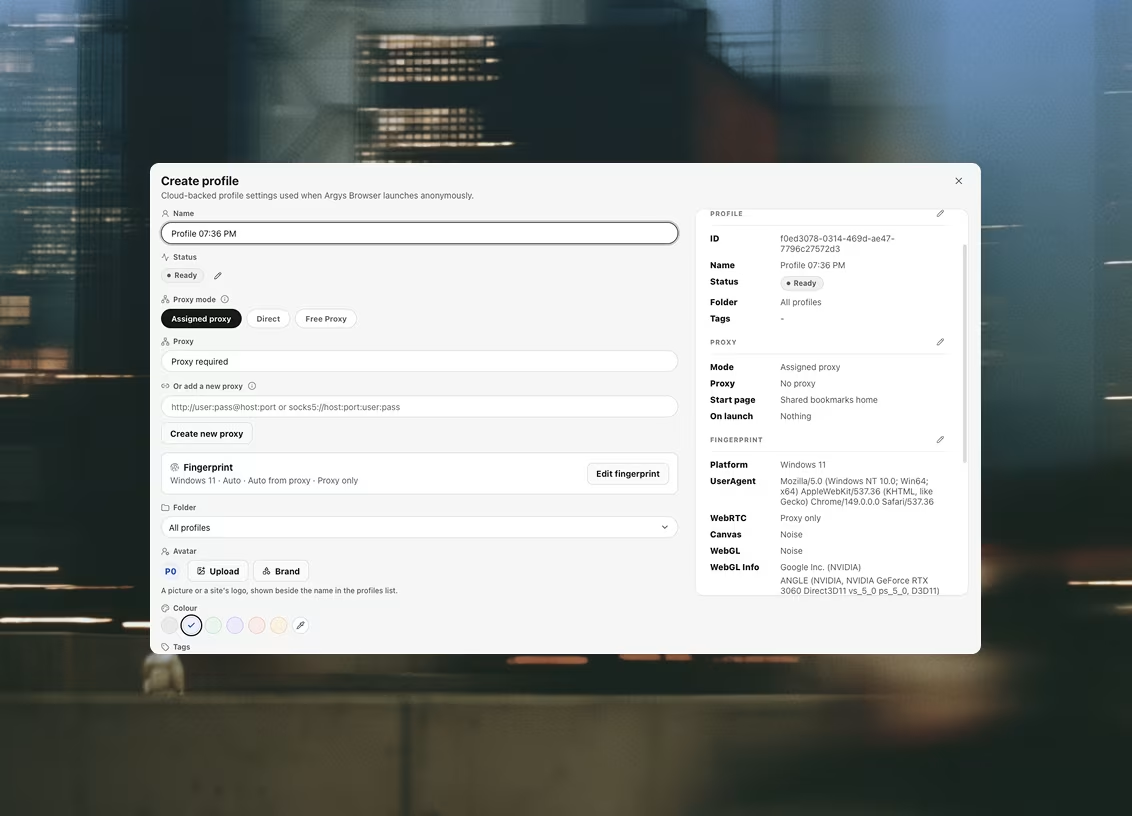
Argus generates a coherent hardware identity per profile: platform, CPU cores, memory, screen, timezone and languages produced together so nothing contradicts anything else — a Windows user-agent does not arrive with a Mac's screen ratio, and the UA-CH metadata matches the string. Canvas, WebGL (including the reported vendor and renderer) and audio are handled in the renderer, so a script reads the spoofed value because it is the only value there, not because a wrapper hid the real one. Where you want to pin something yourself there is a per-profile editor, and a one-click re-roll produces a fresh identity while keeping the rest of the configuration.
Coherence is the point rather than concealment. A device that claims to be nothing is more memorable than a device that claims to be an ordinary laptop, and only one of those blends in.
Proxies
And not twenty entries from one address
The third signal is the network, and it is the one people give away by accident. Argus keeps proxies in a shared library and assigns them per profile, with health checks reporting the egress IP, its country and its latency before you trust it.
Two behaviours matter here more than anywhere else on the site. A proxy that fails its check blocks the launch rather than falling back to your own connection — the fallback is exactly how a set of carefully separated entries ends up sharing one home IP for an afternoon. And WebRTC leak protection is enforced as browser policy on every profile, beneath the JavaScript layer, so a page cannot read your real address around the proxy. The check also flags a datacenter exit and names the provider behind it, which is worth knowing before a campaign that filters on exactly that.
Profiles · Datasets
Keeping track of which entry did what
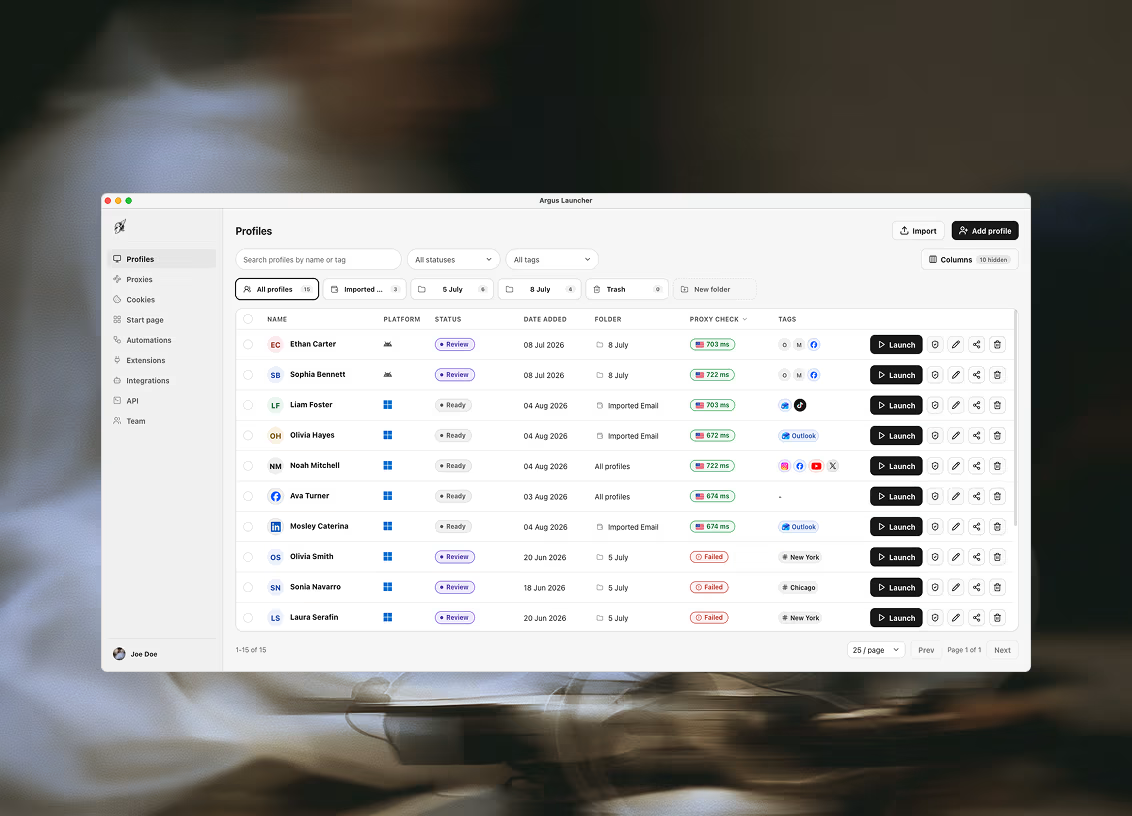
Campaigns are won by the boring half: which of the profiles has done the task, which is waiting on a confirmation, which was funded and which was not. Argus gives each profile tags, a custom status label and notes, and the list searches, filters, pages and acts in bulk.
When the tracking outgrows a status column it belongs in a dataset — a table your workspace owns, with columns you named. Automations write into it and read back out of it, so the list of what still needs doing maintains itself rather than living in somebody's notes app.
The honest part
What a browser cannot do for you
Argus separates what the browser reveals. That is genuinely most of what a campaign looks at, and it is all we claim.
It is not what a chain looks at. If every one of your entries was funded from the same wallet, withdrew to the same exchange deposit address, or moved in a pattern a clustering heuristic recognises, no browser can help — that analysis never touches the browser at all. Argus does not hold your keys, does not sign anything, and does not confirm a withdrawal. Anyone selling you a browser as an answer to on-chain clustering is selling you something that does not exist.
The neighbouring page covers the longer-lived side of this — a profile per wallet and per exchange account, and the same limits stated the same way: Argus for crypto and Web3.
Questions this comes with
Will separate profiles stop a campaign from clustering my entries?
It removes the browser-side reasons to cluster them, and nothing more. A profile per entry has its own cookie jar, its own generated device and its own exit IP, so a campaign checking whether two entries came from one machine finds nothing to join. What it cannot touch is the chain: funding paths, timing and address reuse are read off the ledger, and no browser is anywhere near that. Treat the two halves as separate problems, because they are.
Do I need a proxy for every entry?
If the campaign counts addresses — and campaigns worth entering do — then yes. Proxies live in a shared library and are assigned per profile; a proxy that fails its health check blocks the launch rather than falling back to your own connection, which is the failure that stamps one real address across every profile that happened to launch during the outage. Argus does not sell proxies; any HTTP or SOCKS5 endpoint works.
How many profiles can I run at once?
Each plan sets how many profiles the workspace can keep, how many people can share it and how many automations it can store, and those limits are enforced in the database rather than only in the interface, so they behave the same on every machine you sign in from. The current tiers are on the pricing page. Nothing is deleted when a plan ends — the limits only restrict how many new things you can create.
Can Argus farm a campaign for me?
An automation is a tree of steps run against one browser profile, through that profile's proxy, cookies and fingerprint: navigate, click, type, extract, run scripts, ask a model, branch, loop and notify. It runs in the desktop app on your own machine, so nothing executes while the launcher is closed. What it does not do is make an entry you are not entitled to make into one you are — multi-entry rules are the campaign's to set, and breaking them is on you, not on the tool.
Does the identity survive if I come back to a profile in three months?
Yes. A profile's fingerprint is stored and reapplied on every launch, so the device it presents in March is the device it presented in December, and its cookie jar and storage are still in its own directory. If you deliberately want a new identity — a fresh start after a flag — one click re-rolls the hardware identity while keeping the proxy, cookies, tags and notes.
Related use cases
Teams next door run into the same three problems
Crypto & Web3
A profile per wallet and a profile per exchange account: each one its own browser, its own proxy and its own coherent device, so nothing you run links back to anything else you run.
Anonymous research
Look at something without it looking back at you: every session opens clean, behind its own proxy and its own coherent fingerprint, and leaves nothing behind when it closes.
iGaming affiliates
Operator back-offices, tracker dashboards and the ad accounts feeding them, each in a profile of its own — and each arriving from the market it reports on.

Ready to run profiles at scale?
Download Argus for Mac or Windows and start free with 5 profiles.