
Use case
Argus for advertising agencies
Every client's accounts in one workspace: a profile per account, a shared pool of proxies and cookie sets, and the whole team signed into the same library.




Every agency runs on accounts it does not own. The client's Instagram, the client's Meta Business Manager, the client's TikTok ads account — owned by them, operated by you, worked on by whoever is on shift. The six situations below are where that arrangement usually breaks, and how it holds in Argus.
Fingerprints · Isolation
The platform sees one steady device, not your whole office
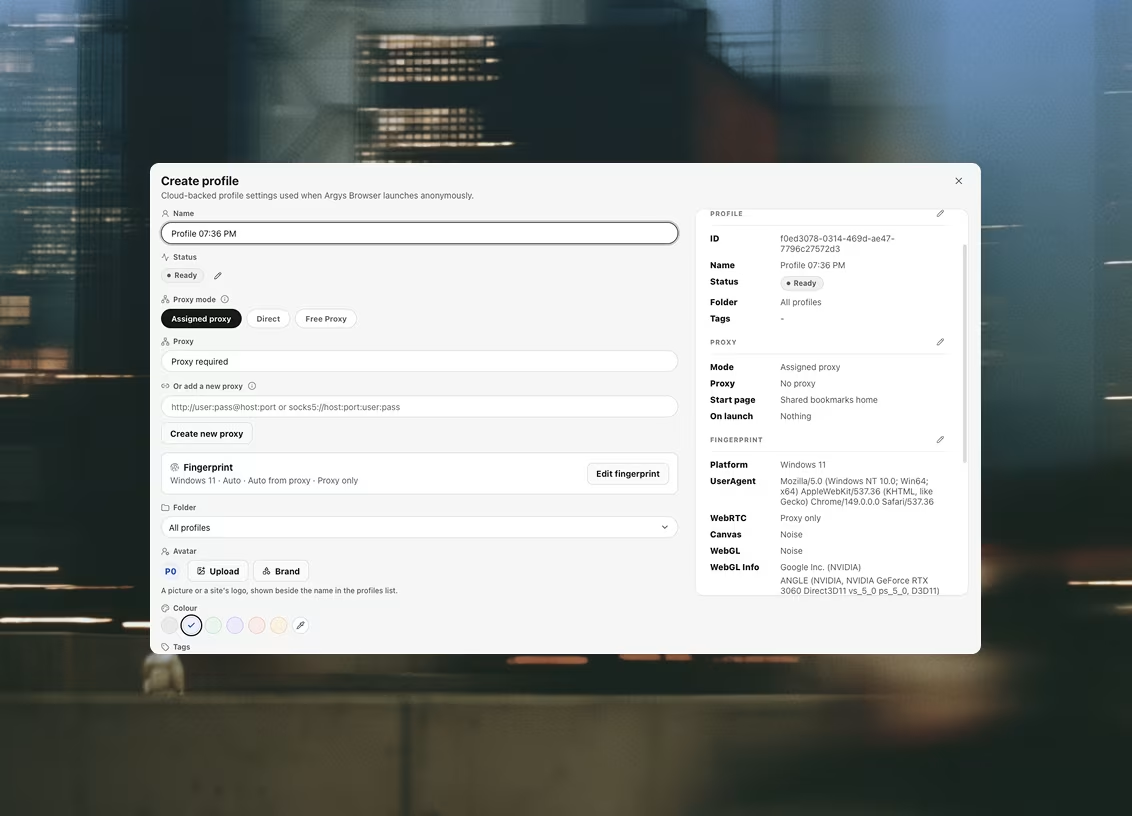
Ad platforms flag accounts when the device behind them keeps changing — and an account opened from four laptops, two operating systems and one phone keeps changing. An Argus profile presents the same coherent hardware identity on every launch, from every seat: platform, CPU, memory, screen, timezone and languages generated together so nothing contradicts anything else. To the platform, the account lives on one believable machine that never changes, no matter who on the team opened it today.
Just as important is what the profiles don't share. Each one starts from its own directory — separate storage, cache and cookie jar — so two clients' accounts never touch, even side by side on the same machine. If one account hits a checkpoint, it is that account's problem, not a thread that unravels your whole roster.
Proxies
Run the ads from where the audience lives
The client sells in São Paulo; your team sits in Lisbon. Assign each of that client's profiles a Brazilian proxy from the shared library and every session — the ads manager, the organic posting, the page you open to check how a campaign actually renders — arrives from the geography where the audience lives. Different client in a different market? Different proxy, same launcher, side by side.
The part that saves accounts is the checking. Argus health-checks every proxy and reports the egress IP, its country, and the latency — and a proxy that fails its check blocks the launch entirely, instead of quietly falling back and stamping your Lisbon office IP onto an account that has only ever lived in Brazil. Authenticated SOCKS5 — the variant plain Chromium cannot speak at all — is handled inside the browser, and WebRTC is sealed so a page cannot read your real address around the proxy.
The whole path, from the library to the egress IP, is written up on its own page: how proxies work in Argus.
Cloud sync · Teams
Handover without the handover meeting
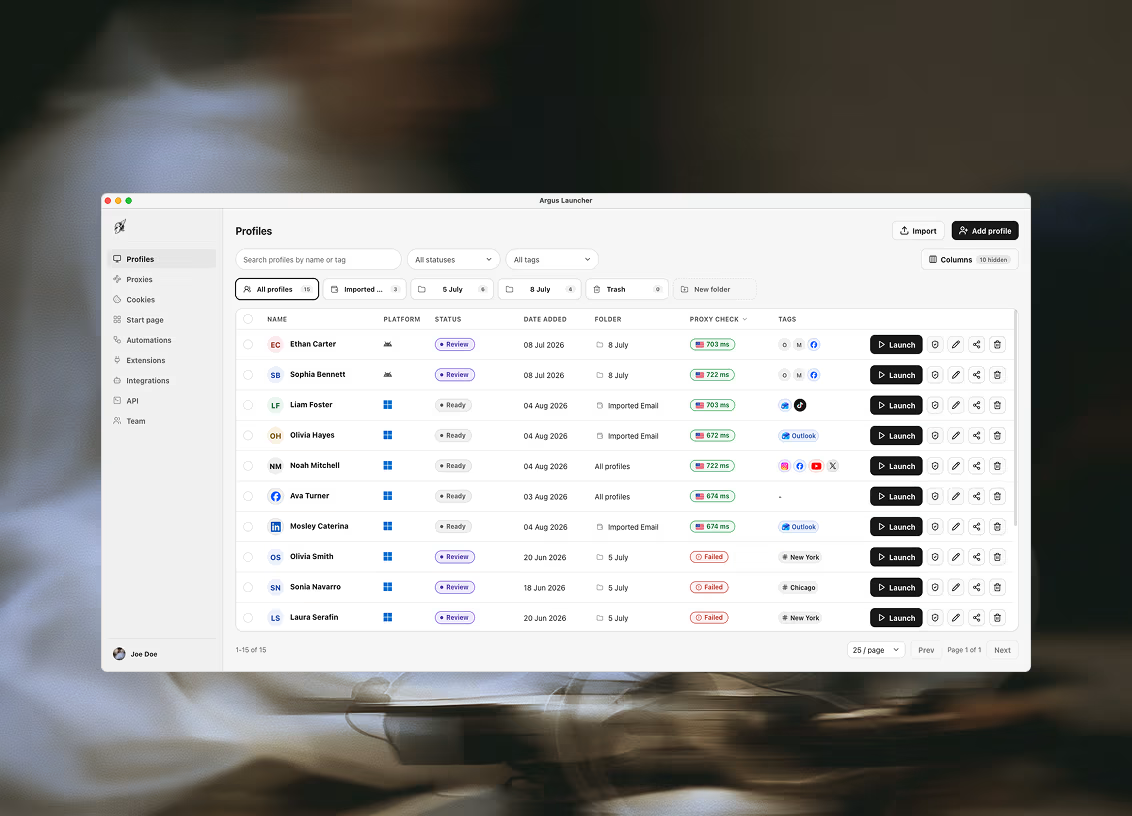
A buyer leaves, a new one starts Monday. In most shops that is a week of "which accounts did she run, where are the logins, why is this one asking for a code sent to her phone". In Argus the new hire signs into the workspace with an email and password, and the roster is simply there: a folder per client, every account a row with its status label and notes, every row launchable. Nothing lived on the old buyer's laptop, so nothing left with it.
The whole team shares one pool of profiles, proxies and cookie sets — seats on one workspace, not licence keys emailed around — and two people working the same list at once cannot overwrite each other. Client offboarding is the same picture in reverse: their folder, their profiles, their proxies, handed off or retired in one place.
Extensions · Automation
The tooling is set up once, and the routine runs itself
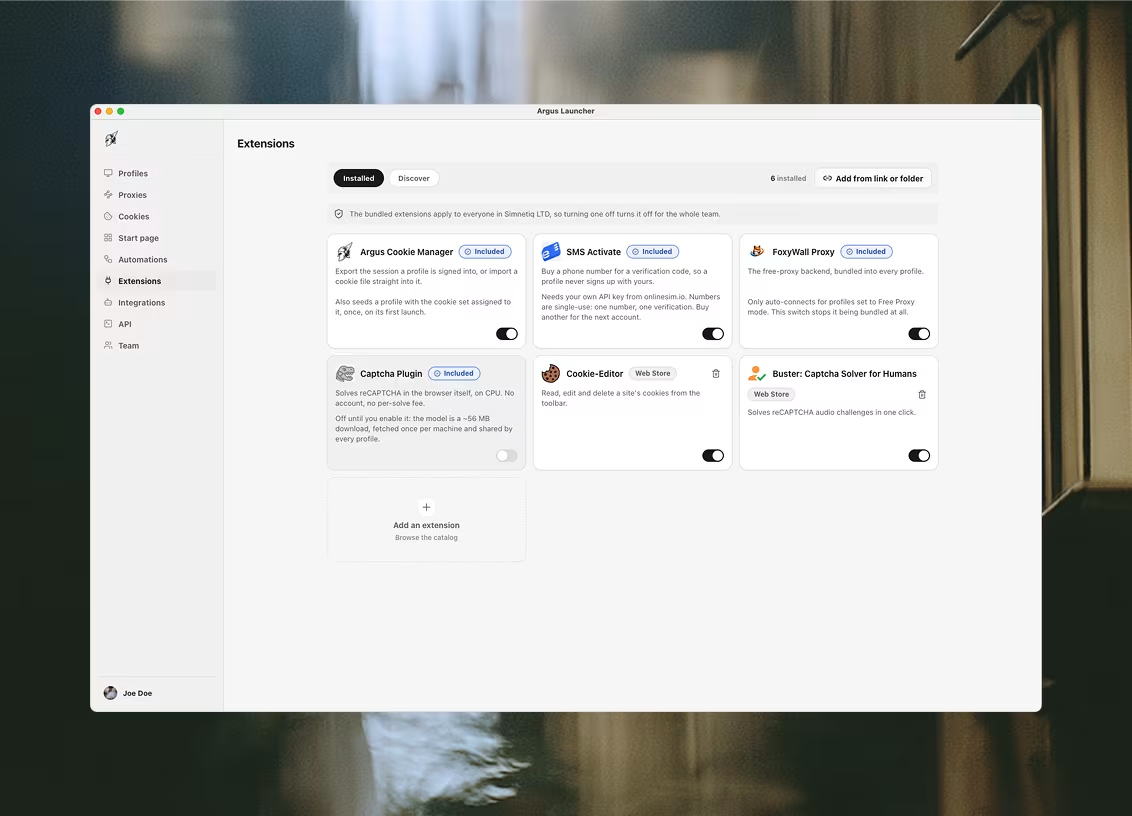
The utilities a media team actually uses — a cookie manager, a proxy helper, an SMS verification tool — are installed once for the whole organization and materialize on every machine that needs them. Four ship built in; your own come from a Chrome Web Store link or a folder.
The morning routine — open each client's ads manager, check the campaigns are delivering, note anything flagged — can run as an automation: workflows pinned to every profile's start page, or driven from your own scripts through the local API. The checks happen in the right profile, behind the right proxy, without a human clicking through forty tabs.
Schedule · Datasets
The warm-up runs at seven every weekday, and the results are in one table by nine
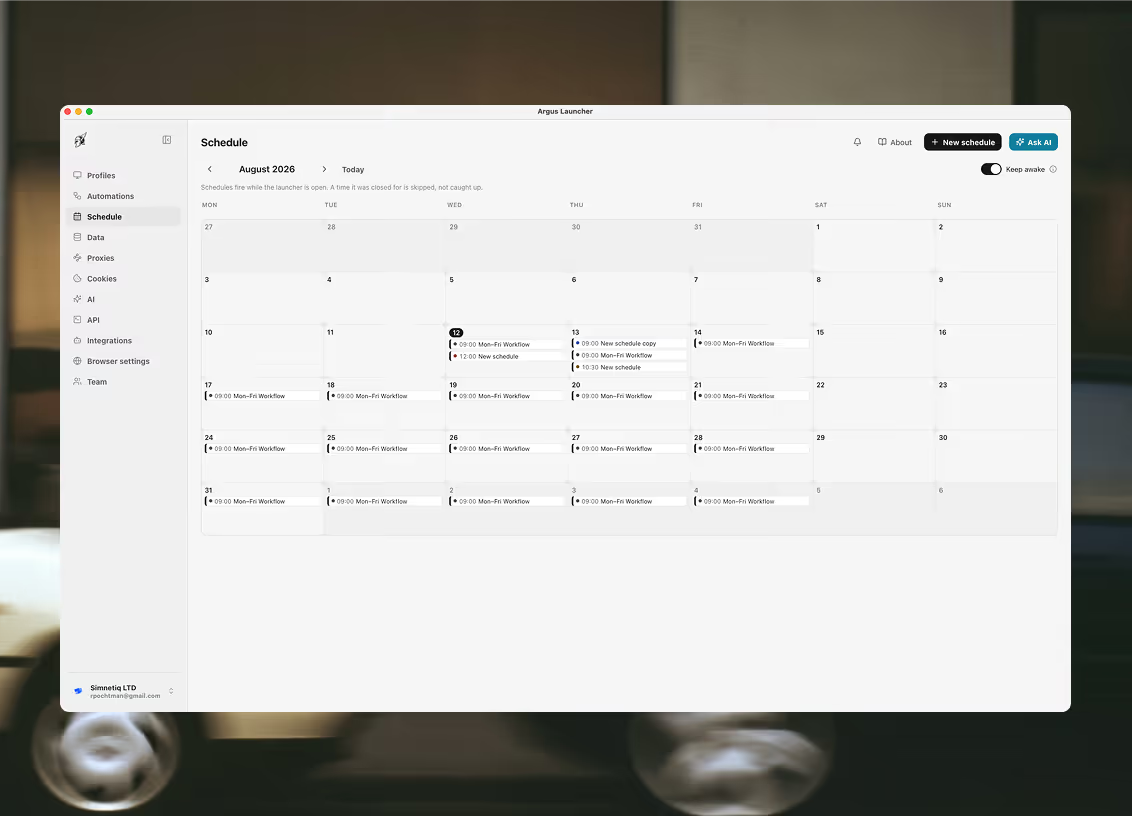
A new client account needs hours on it before it can be trusted with a budget, and those hours have to be spread out rather than crammed into one afternoon. In Argus that is a calendar entry: pick the automation that does the browsing, name every profile it should run on, and set it to repeat on the weekdays you choose — with a start and end day when the warm-up is only meant to last a fortnight. The entry works through its profiles one at a time, each behind its own proxy, cookies and fingerprint, and the day cell afterwards says whether it finished, partly failed or was missed.
Where the results land matters as much as the run. The last step writes what it found into a dataset — a table your workspace owns, with columns you named — so this morning's account status, yesterday's flagged campaign and last week's follower count sit in one place the whole team opens, instead of in a run log one person happens to read. Tomorrow's automation loads rows back out of that same table to decide what to work on.
Two caveats, both worth knowing before you build the week around it. Entries fire only while the launcher is open — a slot it was closed for is marked missed and skipped, never caught up — so the machine holding the overnight calendar has to stay awake; Keep awake stops it idling, though a closed lid still sleeps. And when two people are signed into the same workspace, a slot cannot double-run: the first machine to reach it claims it and the other steps aside.
Questions this comes with
Can we run two clients' ad accounts from the same office without them being linked?
That is what the product is for. Each account gets its own profile: its own user-data directory, so no cookie, cache entry or service worker is shared; its own generated hardware identity, so the platform, CPU cores, memory, screen, timezone and languages agree with each other rather than matching the machine next to them; and its own proxy, so the two sessions do not leave from one address. All three have to hold at once — any one of them on its own is a setup that works until it does not.
Can a contractor work on a client account without being given the password?
Yes. Sign in once, save the session as a cookie set, and assign it to the profile. Whoever opens that profile lands already signed in, and the password never leaves your hands and the two-factor codes never go to their phone. When the engagement ends you unassign the cookie set rather than running a password reset across every account they touched.
Does every client need its own proxy, or can we share one?
A profile can run on an assigned proxy or on a direct connection, so a proxy is not technically required to launch one. For client accounts it effectively is: the address is half of what a platform reads on arrival, and several accounts arriving from one address is the cheapest link there is. Proxies live in a shared library rather than being retyped into each profile, so one purchase can serve a client's whole set without the credentials being copied into forty rows.
What can a second person in the workspace see?
Everything in it. Members of an organization share one pool of profiles, proxies, cookie sets, folders and extensions, and every write touches a single row so two people working the same list at once cannot overwrite each other. What does not exist yet is a permission model — there is no way to give a member access to one client's folder and not another's, and no activity log of who opened what. If that matters to you, know it before you buy rather than after.
Will overnight reporting runs happen if the office machine is asleep?
Only if the machine is awake and the launcher is open. There is no hosted runner, so a schedule entry fires from the desktop app or not at all, and a slot the launcher was closed for is marked missed and skipped rather than caught up hours late. Keep awake asks the operating system not to idle-sleep while the launcher runs, which is what makes an overnight calendar work — a closed lid still sleeps, and nothing in the app can override that.
Does Argus get a banned ad account back?
No, and nothing does. Argus separates accounts you are entitled to run — separate clients, separate legal entities, separate regions, a second account the platform permits. It does not make an account you are not allowed to hold into one you are, and it cannot reverse an enforcement decision already taken. What it changes is the blast radius: an account lost is one profile, not the whole roster arriving from one machine.
Related use cases
Teams next door run into the same three problems
Affiliate marketing
A profile per ad account and a proxy per geo, so a ban on one asset is one asset — not the whole buying operation walking out the door with it.
E-commerce
Every storefront, every marketplace account and every region its own browser: one seller identity per profile, behind the proxy the marketplace expects it to arrive from.
iGaming affiliates
Operator back-offices, tracker dashboards and the ad accounts feeding them, each in a profile of its own — and each arriving from the market it reports on.

Ready to run profiles at scale?
Download Argus for Mac or Windows and start free with 5 profiles.