How Argus works
Argus is not one program pretending to be private. It is two, with a deliberate wall between them — and this page is the reference for what each one does.
On this page
Two processes, one boundary
Most multi-profile browser tools make the same mistake: they keep management state — your account, your proxy pool, your saved cookies — in the same process as the browsing session. That is a liability, not a feature. Argus keeps them apart on purpose.
The control plane
Argus Launcher
The desktop app you sign in to. It owns your account, your proxies, your cookie sets, your extensions and your datasets, and it decides what a browser session is allowed to see.
The data plane
Argus Browser
A purpose-built Chromium. It receives one launch payload, opens a session, and knows nothing else — it never signs in, and it never sees your account or your other profiles.
Everything the browser knows arrives as command-line arguments at launch, and nothing else is ever handed across:
--argus-profile-launch
--argus-profile-id
--argus-profile-name
--argus-profile-icon
--argus-fingerprint-json
--argus-proxy-type / --argus-proxy-host / --argus-proxy-port
--argus-proxy-user / --argus-proxy-pass
--user-data-dir
--load-extension
--argus-panel-extension-id
The browser has no credentials to sign in with, no list of your other profiles, and no way to reach your organization's data. If a site compromised a session tomorrow, there is nothing on the other side of that wall for it to find.
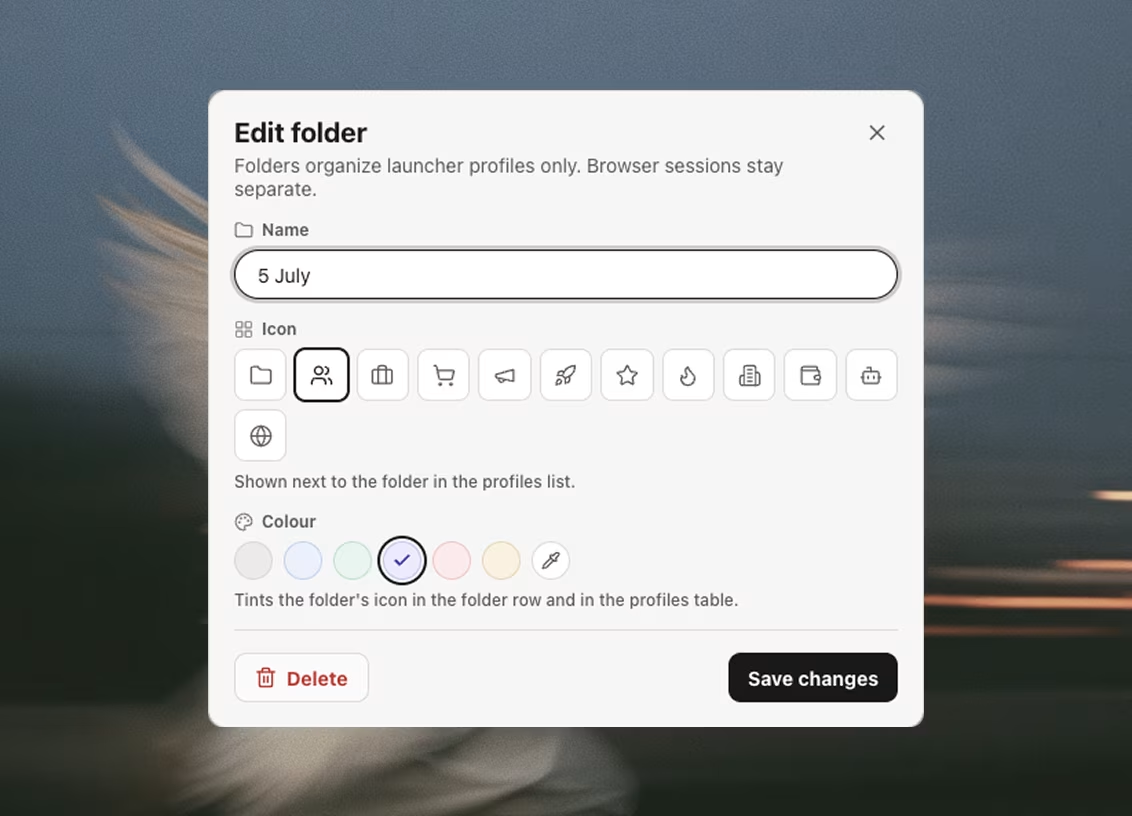
The launcher
The desktop app you sign in to. It owns your account, your proxies, your cookie sets, your extensions and your datasets, and it decides what a browser session is allowed to see.
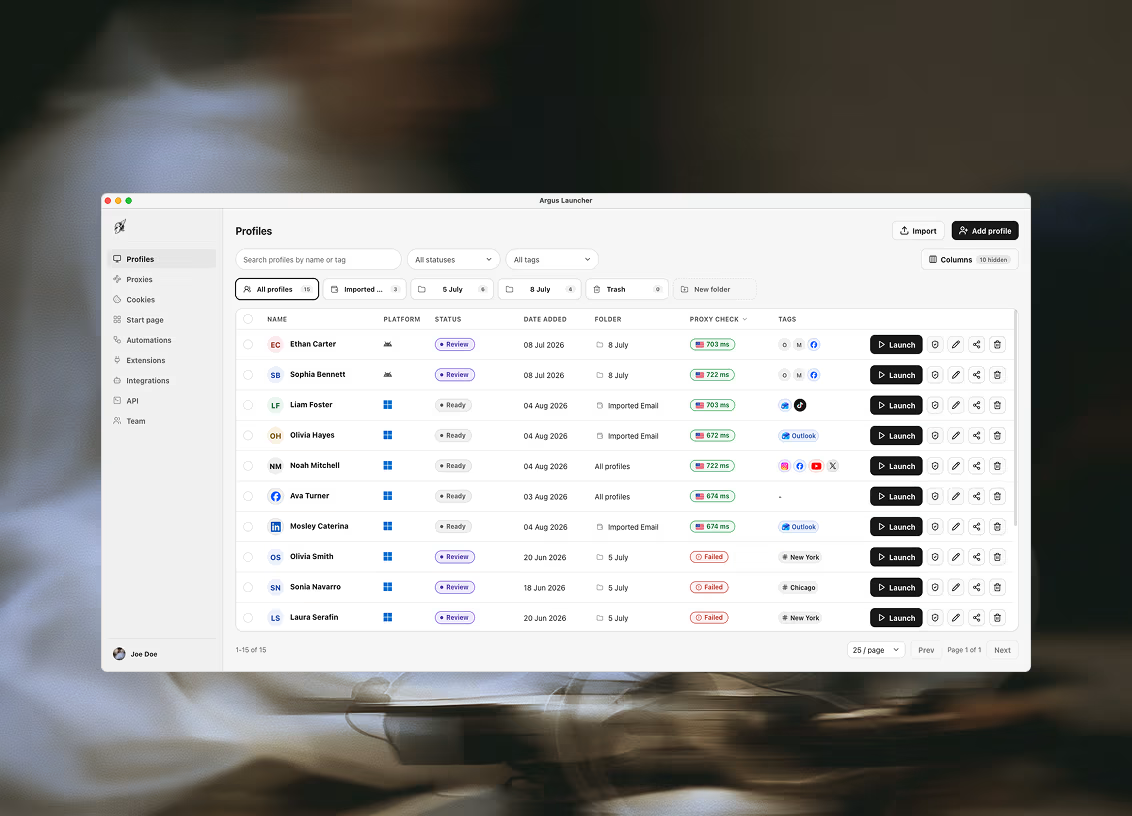
Profiles
Hundreds of fully isolated profiles, each with its own storage, cookies and identity.
- ✓Create, tag, and sort into folders
- ✓Bulk launch, bulk edit, and bulk delete across the whole list
- ✓Search, filter, and paginate — built for lists that outgrow one screen
- ✓Custom status labels and per-profile notes
- ✓CSV import and export
- ✓Delete is soft: profiles go to Trash and can be restored
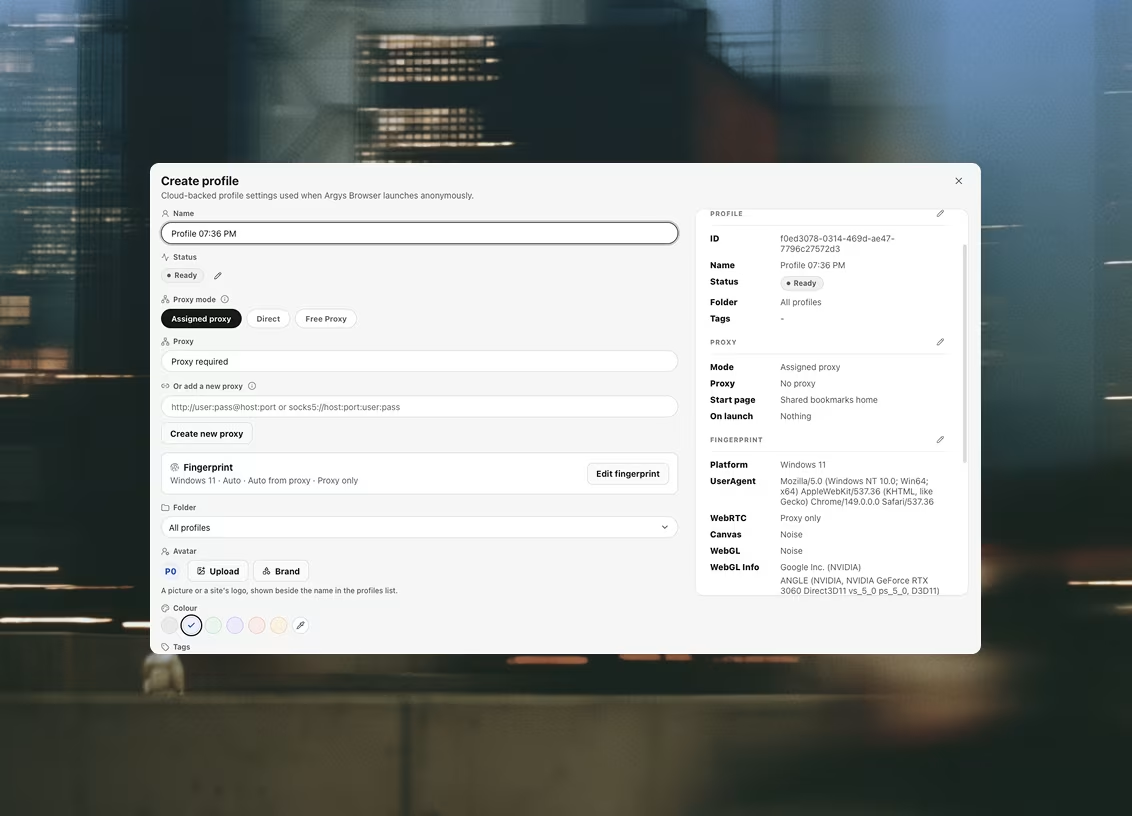
Proxies
A shared, searchable proxy library with live health checks — not a text field per profile.
- ✓HTTP and SOCKS5, including SOCKS5 that requires a username and password
- ✓Health checks report egress IP, country, and latency
- ✓Checks run automatically for new or failing proxies, concurrently rather than one at a time
- ✓Any proxy can also be re-checked on demand
- ✓A proxy that fails its check blocks the launch instead of leaking your real IP
- ✓The check also flags an exit that sits on a datacenter network, and names the provider behind it
- ✓A slower background sweep loads real sites through each proxy, so a row can name which site refused it — and your workspace picks both the sites and which of them are strict enough to stop a launch
- ✓Record when a proxy's term ends and you are warned a week out, then asked to confirm before launching behind one that has already expired
- ✓CSV bulk import
Fingerprints
An auto-generated hardware identity per profile, coordinated so that nothing contradicts anything else.
- ✓Windows, macOS, and Linux presets, with the user-agent and UA-CH metadata generated to match
- ✓Platform, CPU cores, memory, screen, timezone, and languages generated together as one coherent set
- ✓Per-profile editor for the parts you want to pin yourself
- ✓One-click re-roll produces a new identity while preserving your configuration
How browser fingerprinting works →
Extensions
Install an extension once for the team; every machine that needs it materializes it.
- ✓Add by Chrome Web Store ID or from a local unpacked folder
- ✓Give a shared extension a display name your team will recognize
- ✓Assign across selected profiles rather than one at a time
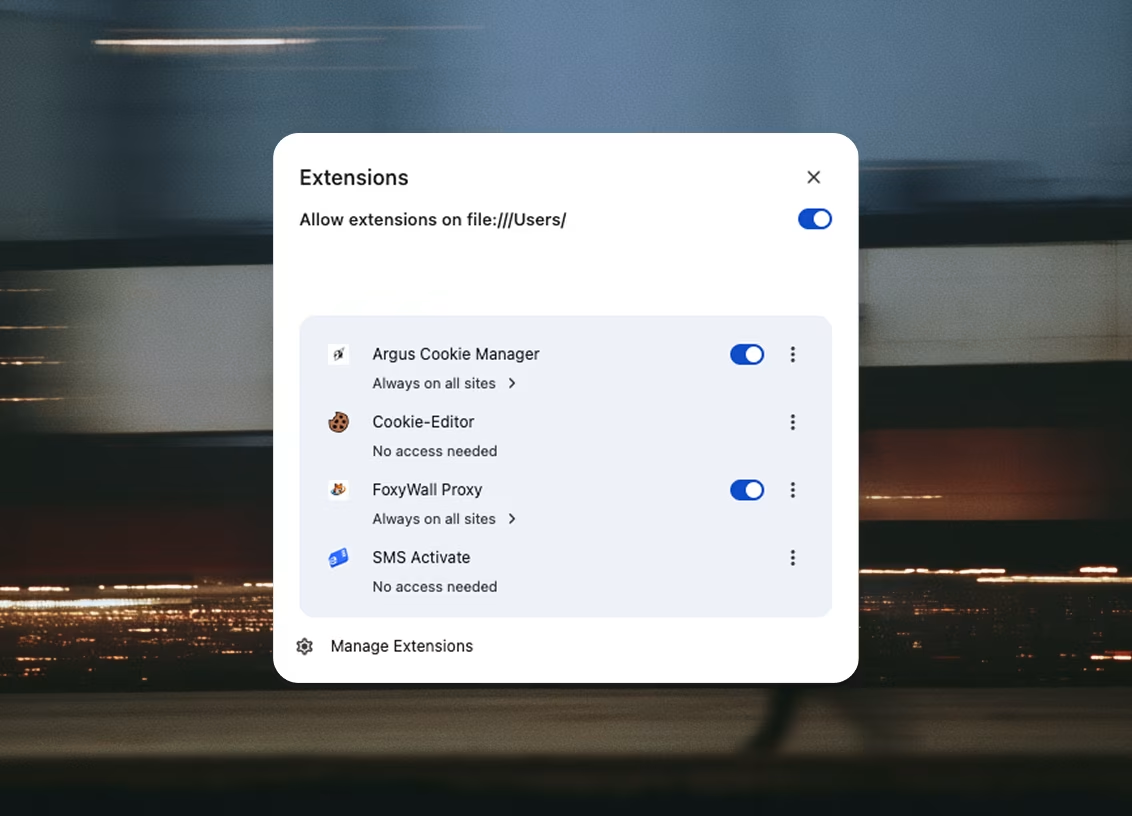
- ✓Ships with four built-ins: Argus Helper, FoxyWall Proxy, SMS Activate, and an optional captcha plugin
Four built-ins ship with every install. Their toggles live on the organization, not on you — switching one off switches it off for the whole team's profiles.
Argus Helper
The side panel in every profile window: proxy status, cookies and this launch's automations.
Switching this off removes the whole panel — the session's exit, timezone and device checks, cookie sync, and the automation runner. It also seeds a profile with the cookie set assigned to it, once, on its first launch.

SMS Activate
Buy a phone number for a verification code, so a profile never signs up with yours.
Needs your own API key from onlinesim.io. Numbers are single-use: one number, one verification. Buy another for the next account.

FoxyWall Proxy
The free-proxy backend, bundled into every profile.
Only auto-connects for profiles set to Free Proxy mode. This switch stops it being bundled at all.

Captcha Plugin
Solves reCAPTCHA in the browser itself, on CPU. No account, no per-solve fee.
Off until you enable it: the model is a ~56 MB download, fetched once per machine and shared by every profile.
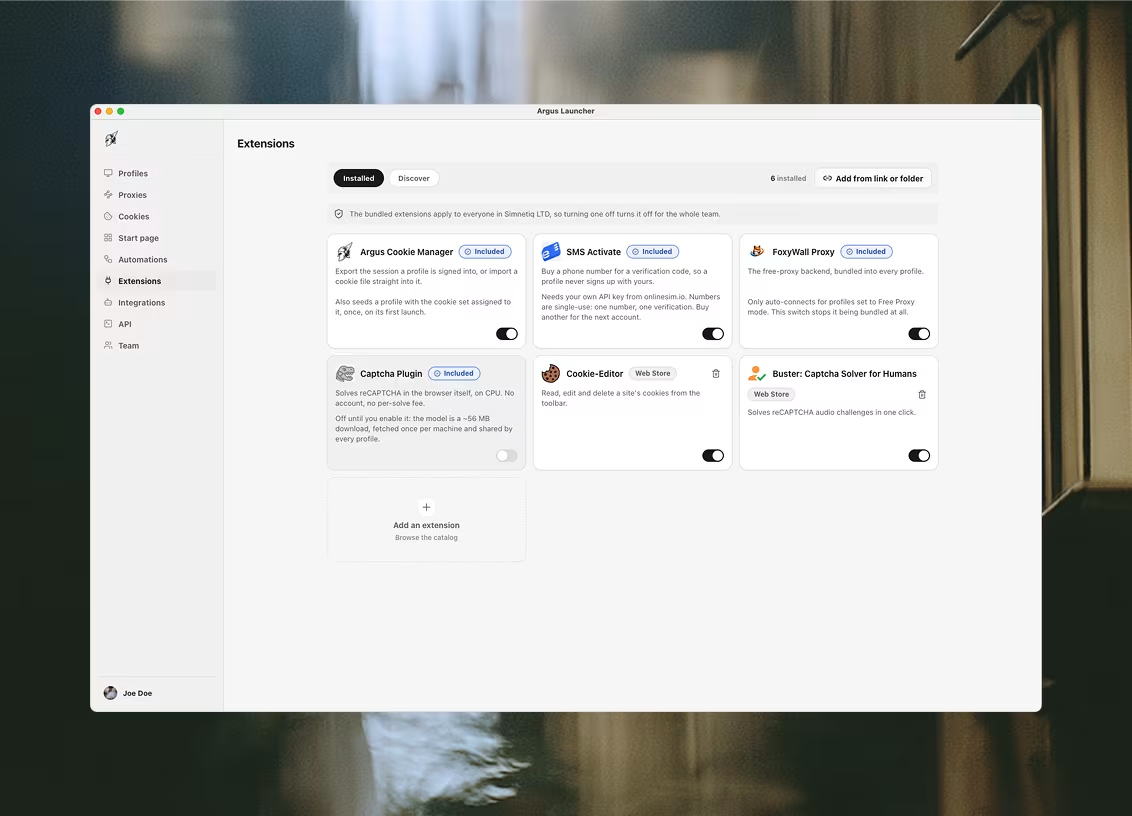
The Discover view carries twelve more from the Chrome Web Store, curated into four groups. Anything not listed is still reachable: paste any Web Store link, or add an unpacked folder of your own.
Captcha & automation




Cookies & identity



Proxy & network


Privacy & blocking



Cloud sync & teams
Sign in once and your workspace follows you; a team shares one pool instead of trading files.
- ✓One account, signed in with an email and password, on every machine you use
- ✓Profiles, proxies, cookie sets, folders, statuses, and bookmarks sync to your organization
- ✓Members of an organization share one pool of everything above
- ✓Every write touches a single row, so two people working at once cannot overwrite each other
- ✓Plan entitlements are enforced in the database, not just in the interface
Schedule
A calendar of ordered workflows: several automations, the profiles they run on, and a time.
- ✓One entry runs its automations one at a time, so a scrape can hand its rows to the step that reports them
- ✓Fire once on a date, every day, or on the weekdays you pick — with an optional start and end day to bound the repeat
- ✓Entries fire only while the launcher is open; a slot it was closed for is marked missed and skipped, never caught up
- ✓Keep awake asks macOS not to idle-sleep while the launcher runs, which is what makes an overnight calendar work — a closed lid still sleeps
- ✓Two machines signed into one workspace cannot double-run a slot: the first to reach it claims it and the other steps aside
- ✓Each day cell carries the outcome — upcoming, running, finished, partly failed, failed or missed
Datasets
Tables the workspace owns, that automations write into and read back out of.
- ✓Columns you name and type — text, number, checkbox, date, select, tags, URL, email, phone and more
- ✓Stored in the workspace rather than on one machine, so a teammate opens the same table you do
- ✓The save rows and load rows automation steps write today's results and read tomorrow's work list
- ✓Import CSV, JSON, TXT or XLSX, either building a dataset from the file's own headers or appending into one
- ✓Edit in the grid, filter, sort, freeze the first column, and export the whole table as CSV or JSON
- ✓Folders as the list grows, and a deleted dataset waits in Trash
Scrapers
Prebuilt collectors that fill a table without opening a browser window at all.
- ✓Twenty cards across places, social, commerce and job boards — fill in a form, get one typed table
- ✓No browser: the requests go out over plain HTTP carrying a real browser's TLS fingerprint, which is why a Maps search takes seconds rather than minutes
- ✓Costs none of the plan's automation slots, on every tier including Free
- ✓Runs through the profile's own proxy, and every row records how it was collected
- ✓A new table per run by default, or appended into one you name when a workflow drives it
- ✓Reachable from the tab, the assistant, the local API and a Run scraper step inside an automation
Projects
A named piece of work, and everything across every tab that serves it — held together without being moved.
- ✓Group profiles, proxies, cookie sets, automations, datasets and schedule entries under one client, campaign or experiment
- ✓Membership is a link, not a move: nothing leaves its folder, and deleting the project leaves everything in it working
- ✓Pick a project on any tab and that tab narrows to its things
- ✓The same shared proxy can serve several projects at once, which a folder cannot express
- ✓Set the assistant's autonomy per project, name tools it may never call there, and bound the hours it may change anything
- ✓Those limits are checked in the app's own code before a tool runs, rather than asked of the model
- ✓Each project keeps a brief, rules, notes and runbooks on this machine, and nothing is written to them without your approval
The assistant
Ask AI opens beside whatever tab you are on, and acts through the same tools you would.
- ✓It knows which screen you are on and answers from documentation built into the app
- ✓It acts rather than only advises — checking proxies, organizing datasets, authoring an automation
- ✓Anything destructive or bulk shows an approval card before it happens
- ✓Ask it to build an automation and the editor opens with your request already handed to its builder
- ✓Every tool call it made is listed above the answer, so you can see how it got there
Skills and your own keys
The briefs the assistant loads for a job, and the API keys everything AI speaks through.
- ✓Twenty-two built-in skills, each a brief plus the pack of tools it opens for that job
- ✓Edit a built-in and your version merges over it, stored on this machine and never uploaded
- ✓Upload a file you already have to turn it into a skill of your own
- ✓Every AI feature runs on keys you bring — nothing routes through anyone else's account
- ✓Connect a provider once and it serves both the assistant and every AI automation step
- ✓Local and niche providers keep working through connectors, so a model on your own machine needs no key at all
Local automation API
A local HTTP bridge that lets your own tooling drive the app — on your machine, not ours, on every plan including Free.
- ✓130 endpoints across profiles, proxies, cookies, automations, schedules, connectors, projects, mail and skills
- ✓Create, read and change a profile, assign it a proxy, update its fingerprint, and launch a session
- ✓Author and run automations, and read back what every run did
- ✓Scoped API keys you can create, list, and revoke, each limited to the folders you name
- ✓Set up as an MCP integration so an agent can drive it directly
- ✓Every request from a new client raises an approve-or-deny prompt in the app first
- ✓Available on every plan, including Free — the plan sets profiles, seats and automations, not API access
Updates
The launcher keeps itself and the browser current without you chasing a download page.
- ✓Update checks run in the background and download automatically
- ✓You choose when to restart and apply
- ✓The browser engine is fetched and installed on demand — there is no second installer to run
The browser
A purpose-built Chromium. It receives one launch payload, opens a session, and knows nothing else — it never signs in, and it never sees your account or your other profiles.
Authenticated SOCKS5 that actually works
The clearest reason Argus ships its own browser instead of automating someone else's.
- ✓Chromium's own SOCKS5 client only speaks the no-auth variant, so a proxy that needs a username and password simply cannot be used
- ✓Argus runs a local relay that performs the RFC 1929 handshake on the upstream leg
- ✓The profile is pointed at a loopback address, so no proxy authentication dialog ever appears
- ✓This is not a workaround layered on top — it lives inside the browser process
Fingerprint spoofing in the renderer
The identity is applied below the page, where a script cannot read around it.
- ✓Canvas, WebGL (including reported vendor and renderer), and audio
- ✓Platform, languages, timezone, screen, device memory, and CPU core count
- ✓Each surface runs in one of four modes: real, noise, off, or manual
- ✓A script sees the spoofed value because that is the only value present, not because a wrapper hid the real one
WebRTC leak protection
Your real address does not escape through WebRTC, and a page cannot switch that off.
- ✓Enforced as browser policy on the profile, beneath the JavaScript layer
- ✓Applied to every profile — it is not a toggle you can forget to set
- ✓Assigning a proxy to a profile that was still reporting its real address upgrades it automatically
Real profile isolation
Each session starts from its own directory with nothing carried over from any other.
- ✓A dedicated user-data directory per profile — separate storage, cache, and cookie jar
- ✓Session restore is disabled, so a previous run cannot resurface in a new one
- ✓The proxy is applied at the network layer, not through an extension that a page can detect
- ✓A default block list covers remote-access ports that sites probe to detect automation
Signed and notarized
The macOS build is signed by SIMNETIQ LTD, notarized by Apple, and stapled.
- ✓Opens with no Gatekeeper warning and no right-click-to-open workaround
- ✓Hardened runtime enabled
- ✓macOS builds are Apple Silicon; Windows builds are x64
Try it
Download the launcher; it fetches the browser on first run.
macOS (Apple Silicon, signed & notarized) · Windows 10/11 (x64) · v1.0.83