参考
自动化
自动化流程是一棵在单个环境上运行的步骤树——走它的代理、带它的 Cookie,需要浏览器的步骤则在它的浏览器里跑。共 33 种步骤类型,不用学任何脚本语言。
本页内容
什么是自动化流程
一棵自上而下、在单个环境上运行的步骤树。触碰页面的那些步骤,都跑在这个环境自己的浏览器会话里——它的代理、它的 Cookie、你搭起来的那套指纹——所以网站看到的是一个身份,而不是硬拧在身份上的自动化外壳。
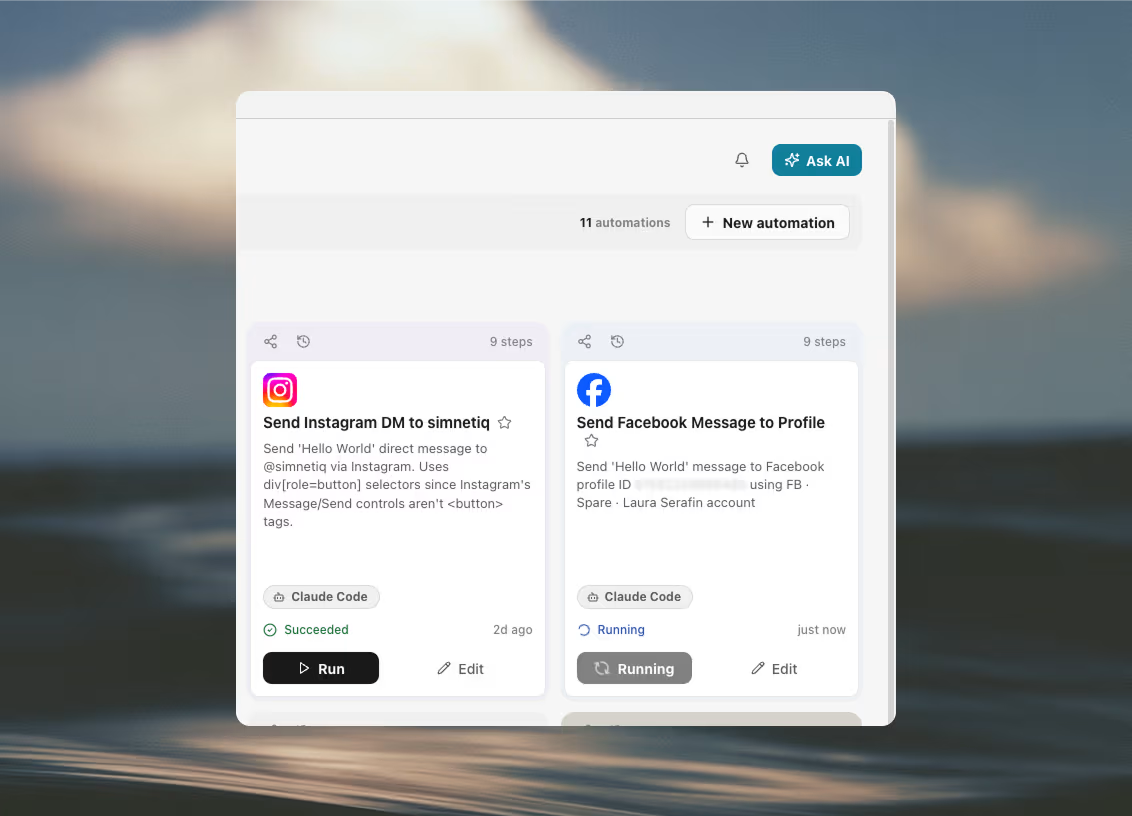
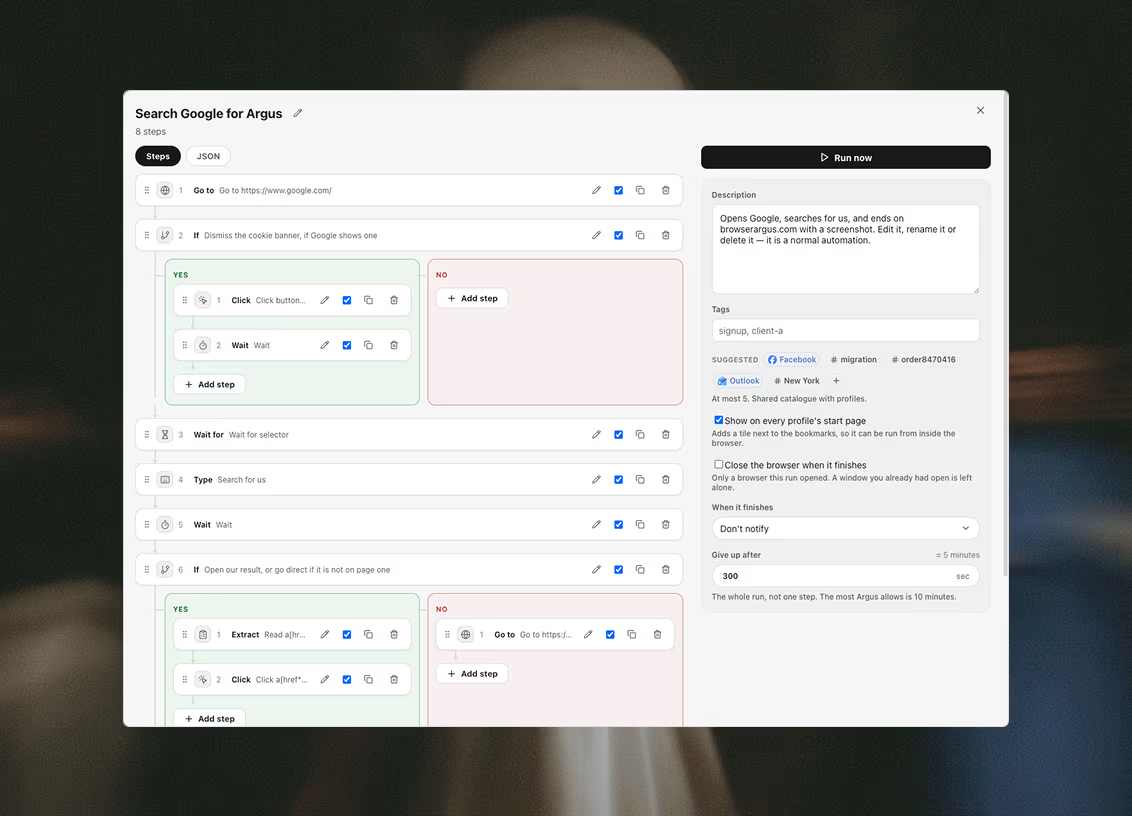
步骤既可以在启动器的画布上搭建——每个步骤是一张卡片,分支画成泳道,循环是可以往里拖步骤的分组——也可以以 JSON 的形式经 API 交过来。两种方式得到的是同一棵树:画布只是画出程序的地方,执行顺序从不跟着卡片被拖到哪里走。
两种方式下,树都会在任何东西被保存之前先做校验,而且被拒绝时给出的是出错的确切路径,而不是一句「结构不对」。
有些步骤刻意从启动器运行,而不是从页面运行——HTTP 请求、调用模型、发通知。它们不使用环境的代理,也不使用它的 Cookie,每一个都会在自己的卡片上说明这一点。
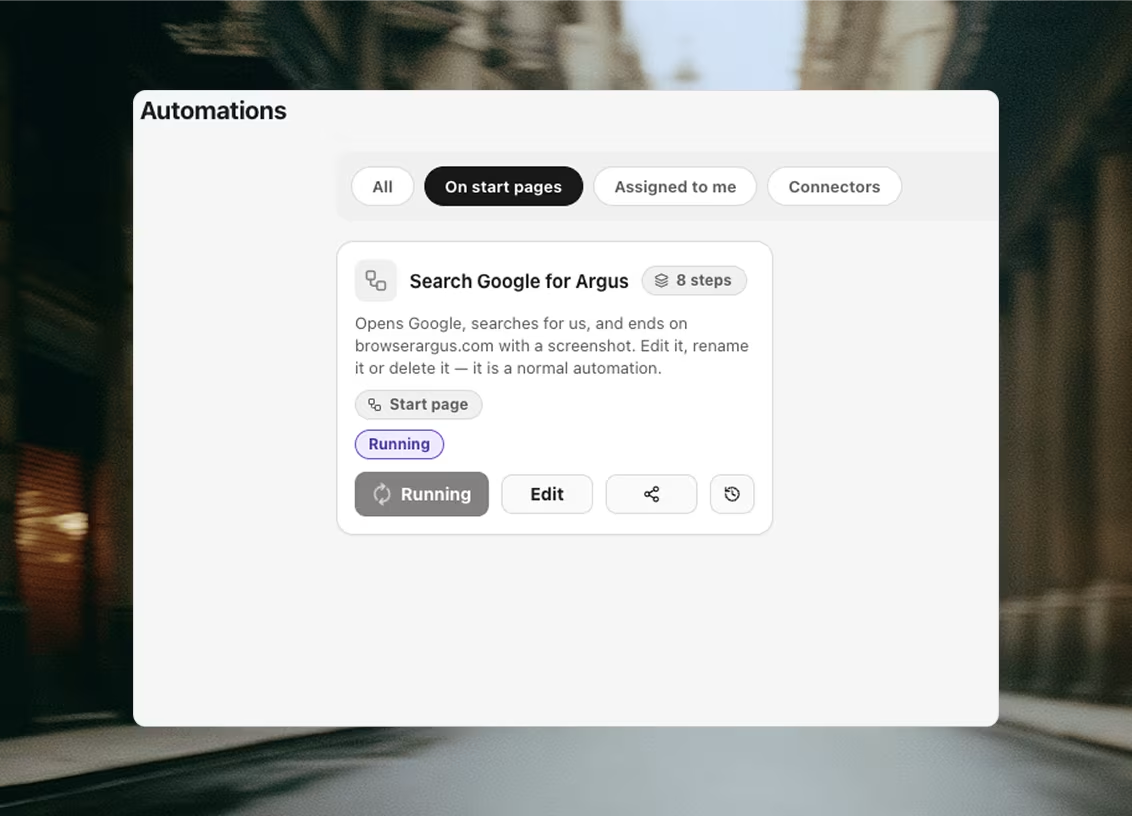
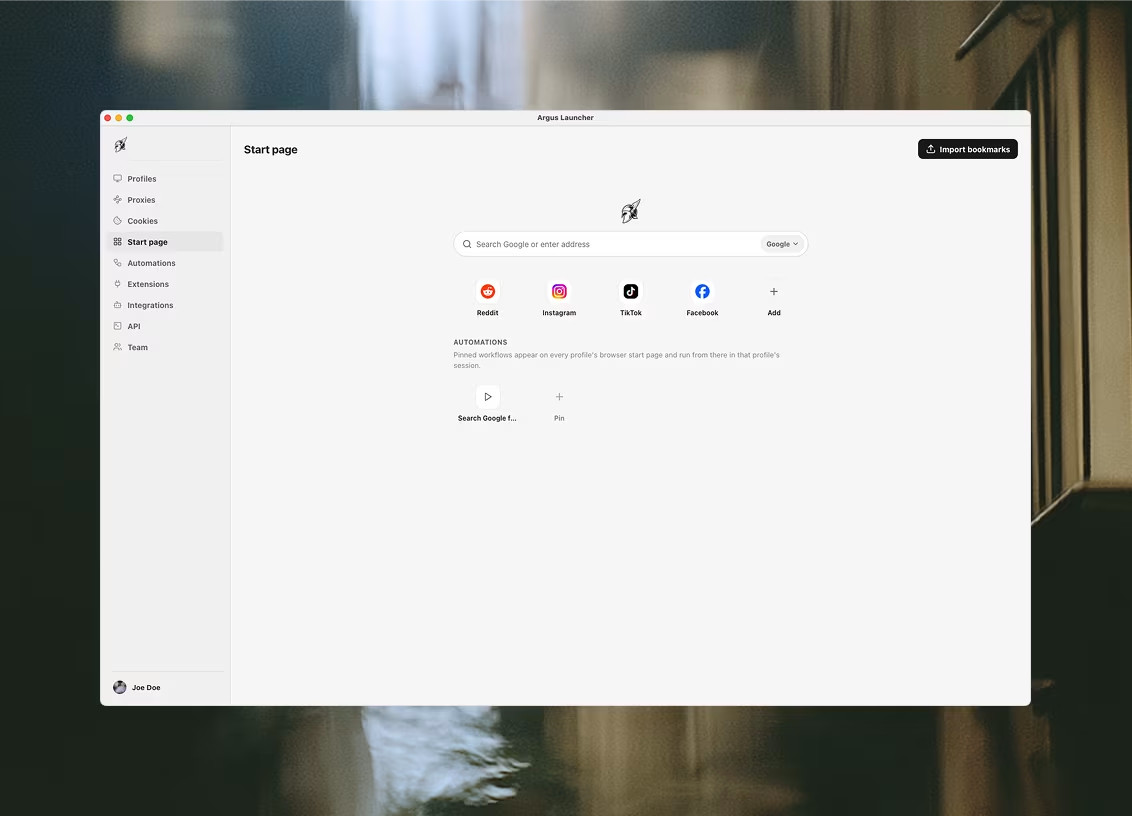
自动化流程还可以在它的编辑器里被固定到每个环境的浏览器起始页上——就在书签旁边的一块磁贴,这样可以直接从浏览器里运行它。
33 种步骤类型
下面的每一个字段都读自 Argus 自己提供的 schema,所以这就是 Agent 调用 argus_automation_schema 时拿到的那套词汇。
驱动页面
触碰浏览器的那八个步骤。每一个都在环境自己的会话里运行,所以网站看到的是你搭起来的那个身份,而不是一套自动化外壳——点击和按键是在真实坐标上发生的真实输入事件,而不是脚本对某个元素调用 click()。「按键」这个步骤是给那些表单会响应、却没人往输入框里打的键用的:Tab 用来跳到下一项,Escape 用来关掉,方向键用来在列表里移动。「破解验证码」是唯一值得一提的例外,而且只是一半:它读取题目并把答案注入页面,但答案是从启动器那里买来的,所以服务商永远看不到这个环境的代理和 Cookie。
Go to
gotoGo to {url}
- url
- text · 必填
- waitUntil
- select · 取值之一:load | domcontentloaded
Wait for
waitForWait for {for}
- for
- select · 必填 · 取值之一:selector | selectorGone | url | text
- selector
- text
- url
- text
- text
- text
Click
clickClick {selector}
- selector
- text · 必填
- nth
- number
Type
typeType into {selector}
- selector
- text · 必填
- text
- text · 必填
- clear
- boolean
- delayMs
- number
- pressEnter
- boolean
Press a key
pressPress {key}
- key
- text · 必填
- selector
- text
A real key event, the way Type sends one. This is for the keys a form reacts to but nobody types into a field: Tab to move on, Escape to dismiss a dialog, ArrowDown to walk a suggestion list. Type already presses Enter for you, so reach for this when the key is anything else. Leave the selector empty to send the key wherever the page's focus already is.
Scroll
scrollScroll to {to}
- to
- select · 必填 · 取值之一:bottom | top | selector
- selector
- text
Screenshot
screenshotScreenshot
- selector
- text
- fullPage
- boolean
Solve captcha
solveCaptchaSolve the captcha on the page
- connector
- connector · captcha 连接器
- challenge
- select · 取值之一:auto | recaptchaV2 | recaptchaV3 | hcaptcha
- sitekey
- text
- action
- text
- minScore
- number
- fireCallback
- boolean
- waitForPage
- boolean
- into
- text
The page's URL and its site key go to your provider from the launcher, not from the page -- the solve does not travel through the profile's proxy, and nothing else about the page leaves the machine. Injecting a token is not the same as passing the check: whether the site accepts it is the site's business, so follow this with a Wait for or an AI check.
读取与保存数据
从页面里取出点什么、拿它做计算,或者干脆从别处取来。凡是保存下来的都会落进一个由你命名的变量,之后的每一个步骤都能把它插进自己的字段里。「保存 Cookie」把会话本身捕获回环境的 Cookie 集;三个数据库步骤则把一次运行的结果送到表格、数据表或文件里,把待办清单读回来,或者清掉筛选条件点名的那些行——最后这一个没有撤销,而且没有筛选条件时干脆拒绝运行,因为空条件意味着整张表。这里有三个步骤不驱动页面也能访问网络,选哪一个取决于这次请求该从谁的地址发出:「抓取页面」走环境的代理,带着真实浏览器的 TLS 指纹,正因如此,一整个采集任务可以在不开任何窗口的情况下几秒钟跑完;「reach」改走启动器自己的连接,所以它适合公开页面,而对任何认得你的站点都不合适;「HTTP 请求」则是你对自己 API 发出的普通调用。「运行采集器」是第四个,它问的是另一个问题:不是数据在哪里,而是数据在哪家服务上——它运行「采集器」标签页里现成的采集器之一,不开窗口,也不占用套餐里的任何自动化名额,然后问一件标签页从来不必问的事:数据行放到哪里去。默认每次运行新建一张表,这正是「采集器」标签页的做法;如果你把它指向一张自己命名的表,那张表不存在时会用该采集器自己的列创建出来,之后每次运行都往里追加——或者在你指定的某一列匹配上时就地更新那一行。无论哪种方式,它交给下一个步骤的都不是一个光秃秃的名字,而是一个对象:表、表的 id,以及来了多少行,这样后面的步骤就能把刚采集到的内容载入进来。三个邮件步骤运行在环境自己的邮箱上,读和写都经由该环境的代理,所以服务商看到的是这个身份的出口,而不是你的机器。其中两个负责闭合注册打开的那个环:等确认邮件到达,再把里面的链接取出来打开。第三个负责发送——一封邮件、一个邮箱、一个收件人,而且每一次发送在离开之前都会记进工作区的台账。如果这个邮箱已经用完当日额度、如果它还在预热、如果地址在工作区的屏蔽名单上,或者这条流程在重复保护期内已经给它写过信,发送就会被拒绝,而且拒绝会被记录下来,不会被悄悄丢掉。「发送群发」是这一对里的另一半,区别在名单而不在接线:它用你自己的密钥把邮件交给邮件服务商,从一个你在他们那里验证过的域名发出,面向的是主动要求收到你邮件的人——每家服务商的使用条款都禁止陌生开发和抓来的名单,代价是账号本身而不是一次退信,所以一切冷启动的内容都属于上面那个邮箱步骤。它共用同一本台账、同一份屏蔽名单和同一个重复保护期,并给每封邮件加上一键退订的邮件头。「验证邮箱」是该排在这两者之前的那个:它向验证服务询问某个地址背后到底有没有邮箱,用四个词之一作答,其中只有一个意味着可以发——一份满是退信的名单是烧掉发送域名最快的办法,而域名的信誉收不回来。两个脚本步骤是应急出口:「运行脚本」在页面内执行你的 JavaScript,「运行 Node 脚本」则在你自己的机器上执行 Node,完全在浏览器之外。
Extract
extractRead {selector} into {into}
- selector
- text · 必填
- what
- select · 取值之一:text | html | attr | value
- attr
- text
- all
- boolean
- into
- text · 必填
Run script
evaluateRun script
- script
- textarea · 必填
- args
- keyvalue
- into
- text
- secretInto
- boolean
Run Node script
nodeScript不需要浏览器Run Node script
- code
- textarea · 必填
- args
- keyvalue
- into
- text
Runs on this machine as a Node process, with the launcher's own access to your files and network -- not in the profile's browser, and not through its proxy. Node's built-in modules only (fs, crypto, fetch, zlib and the rest); npm packages are not installed. An automation created or changed over the API or MCP that contains this step asks you to approve it first.
Set variable
setVar不需要浏览器Set {name}
- name
- text · 必填
- value
- text · 必填
- secretInto
- boolean
HTTP request
httpRequest不需要浏览器{method} {url}
- method
- select · 取值之一:GET | POST
- url
- text · 必填
- headers
- keyvalue
- body
- textarea
- into
- text
Sent from the launcher, not from the page -- it does not use the profile's proxy or cookies.
Fetch page
fetchPage不需要浏览器Fetch {url} into {into}
- method
- select · 取值之一:GET | POST
- url
- text · 必填
- headers
- keyvalue
- body
- textarea
- query
- text
- collect
- textarea
- selector
- text
- fields
- keyvalue
- adaptive
- select · 取值之一:yes | no
- into
- text · 必填
Fetched by Scrapling through the profile's proxy, with no browser window. Leave the row selector and the list config empty to store the raw page.
Reach
reach不需要浏览器Reach {url} into {into}
- channel
- select · 取值之一:auto | web | youtube | reddit | rss
- url
- text · 必填
- into
- text · 必填
Reads the page WITHOUT a browser, through Agent Reach's channels (Jina Reader, yt-dlp, RSS) -- from the launcher's own connection, not the profile's proxy or cookies. Login-gated pages need a browser step instead.
Run scraper
runScraper不需要浏览器Run the {scraper} scraper into {into}
- scraper
- scraper · 必填
- input
- scraperInput
- mode
- select · 取值之一:new | table
- target
- remote · 必填
- matchOn
- remote
- into
- text · 必填
Runs one of the prebuilt scrapers and files its rows into an Argus table, exactly as the Scrapers tab does — no browser window opens, and it costs no automation slot. Left on "new" it makes a fresh table per run; pointed at a table it appends to, or updates, the one you name — and refuses an existing one whose columns are not mostly this scraper's.
Save cookies
saveCookiesSave cookies to the Launcher {domain}
- domain
- text
With a filter set, the live cookie set is REPLACED by exactly this filtered subset -- running this step again with a narrower filter after a full sync discards every other domain's cookies from that set.
Save to database
saveRows不需要浏览器Save to {target}
- connector
- connector · data 连接器
- target
- remote · 必填
- rows
- select · 必填 · 取值之一:one | many | each
- items
- text
- mapping
- mapping
- matchOn
- remote
- extraColumns
- select · 取值之一:fail | ignore | add
- into
- text
Sent from the launcher, not from the page -- it does not use the profile's proxy or cookies. Values are converted to the column's type before they are sent, and a value that cannot be converted fails the step rather than being stored wrong.
Load from database
loadRows不需要浏览器Load {target} into {into}
- connector
- connector · data 连接器
- target
- remote · 必填
- filter
- keyvalue
- limit
- number
- into
- text · 必填
Sent from the launcher, not from the page -- it does not use the profile's proxy or cookies. Only equality filters, and at most 1000 rows: this is a step that feeds a loop, not a query language.
Delete rows
deleteRows不需要浏览器Delete from {target}
- connector
- connector · data 连接器
- target
- remote · 必填
- filter
- keyvalue · 必填
- limit
- number
- into
- text
THERE IS NO UNDO. The filter is required and an empty one is refused rather than treated as "everything" -- the row that deletes a whole table must not be one slip away from the row that deletes three. Same equality-only grammar as Load from database, and the same 1000-row ceiling. Not every service can do this: where a connector cannot, the step says so instead of the service answering with its own error. Notion has no hard delete, so a page there is archived, which is what its own trash does. Sent from the launcher, not from the page -- it does not use the profile's proxy or cookies.
Wait for email
waitForEmail不需要浏览器Wait for mail matching {subjectPattern}
- account
- mailbox
- folders
- select · 取值之一:inboxSpam | inbox | all
- fromPattern
- text
- subjectPattern
- text
- bodyPattern
- text
- since
- select · 取值之一:runStart | stepStart | any
- codePattern
- text
- markSeen
- boolean
- into
- text · 必填
Read from the launcher through the mailbox's own proxy, so the provider sees the profile's exit rather than this machine's. The message body is deliberately NOT stored in the variable: a run record is readable by the whole workspace and is flushed to the cloud, so only a bounded summary travels. Give the step longer with its own timeout if a sender is slow; it waits three minutes by default.
Link from email
extractEmailLink不需要浏览器Take a link from {message} into {into}
- message
- text · 必填
- pattern
- text
- index
- number
- into
- text · 必填
Works on the links Wait for email already pulled out of the message, so it opens no connection and cannot fail after the wait succeeded. Tracking redirectors are left as they are -- following one to tidy the address would discard the token the link carries, and would fetch it from this machine rather than the profile.
Send email
sendEmail不需要浏览器Send "{subject}" to {to}
- to
- text · 必填
- subject
- text · 必填
- body
- textarea · 必填
- pool
- mailPool
- account
- mailbox
- dedupeScope
- text
- dedupeDays
- number
- jitterSeconds
- number
- into
- text · 必填
Governed: every send is booked in the workspace's ledger BEFORE it leaves, and refused if the mailbox has spent its daily cap, if it is still warming up, if the address is on the suppression list, or if this scope already emailed it inside the repeat guard. A refusal is recorded rather than dropped. Mail leaves through the mailbox's own proxy, so the provider sees the identity's exit and not this machine's. The launcher window must be open: the caps and the suppression list live in the workspace, and sending unchecked is worse than not sending.
Send broadcast
sendBroadcast不需要浏览器Broadcast "{subject}" to {to}
- connector
- connector · broadcast 连接器
- to
- text · 必填
- subject
- text · 必填
- body
- textarea · 必填
- html
- textarea
- dedupeScope
- text
- dedupeDays
- number
- campaign
- text
- campaignStep
- number
- into
- text · 必填
For people who OPTED IN. Every email service provider's acceptable-use policy -- Resend's, Postmark's, SendGrid's -- prohibits cold outreach, purchased lists and scraped contact data, and the penalty is the account rather than a bounce. Cold mail goes out over the Send email step and the workspace's own mailboxes instead. Governed the same way that step is: every send is booked in the workspace's ledger BEFORE it leaves, and refused if the address is on the suppression list, if this scope already emailed it inside the repeat guard, or if the connector has spent its daily limit. A refusal is recorded rather than dropped. RFC 8058 unsubscribe headers are added to every message, pointing at the connector's reply-to. The launcher window must be open: the suppression list lives in the workspace, and sending unchecked is worse than not sending.
Verify email
verifyEmail不需要浏览器Check {email} is real
- connector
- connector · verify 连接器
- text · 必填
- into
- text · 必填
Four verdicts, and only one of them means send. `deliverable` is a mailbox that answered. `undeliverable` covers an address that does not exist AND one that must not be mailed -- a spam trap, a burner, a known complainer. `risky` is a catch-all domain, which accepts everything including mail for boxes that are not there, so nobody can tell; leaving these out is the safe default. `unknown` means the check did not complete, and a vocabulary this build does not recognise lands here rather than on `deliverable` -- a verifier that guesses yes is worse than none. The check leaves from the launcher's own connection, never a profile's proxy: both services take the key in the query string. Bouncing a scraped list is the fastest way to burn a sending domain, and a domain's reputation cannot be turned back.
向模型提问
三个把工作交给模型的步骤:一个你会保留答案的开放式提问,一个用来分支的是否判断,以及一个自己规划并调用工具的 Agent——HTTP、页面里的代码、你的数据连接器、消息、其他自动化流程、MCP 服务器——直到任务完成。三者都从启动器运行,走你为它们指定的那个 AI 连接器。
Ask AI
aiPromptAsk AI into {into}
- provider
- connector · ai 连接器
- prompt
- textarea · 必填
- context
- select · 取值之一:none | pageText | selector
- selector
- text
- format
- select · 取值之一:text | json
- maxTokens
- number
- into
- text · 必填
Sent from the launcher, not from the page -- it does not use the profile's proxy or cookies. Page text is truncated before it is sent.
AI check
aiCheckAI check: {question}
- provider
- connector · ai 连接器
- question
- textarea · 必填
- context
- select · 取值之一:none | pageText | selector
- selector
- text
- into
- text
- onFalse
- select · 取值之一:continue | fail
The model is asked for one word and nothing else. Anything it says that is not yes or no fails the step rather than being guessed at.
AI Agent
aiAgentAgent into {into}
- provider
- connector · ai 连接器
- model
- model
- prompt
- textarea · 必填
- memory
- select · 取值之一:none | window
- memoryWindow
- number
- maxIterations
- number
- tools
- tools
- into
- text · 必填
Calls leave from the launcher, not the page -- no profile proxy or cookies. Tools run with the same limits as their standalone steps, and an approval tool gates every call behind a yes/no over Telegram.
流程控制与输出
分支、重复、暂停、组合,以及通知别人。「运行自动化流程」会把另一条流程的步骤内联进来,所以到处都要用的一段流程只写一次。「通知」步骤是让一次凌晨三点结束的运行找到你的方式。
If
ifIf {condition.left} {condition.op}
- condition
- condition · 必填
- then
- steps
- else
- steps
Loop
loop不需要浏览器Loop {mode}
- mode
- select · 必填 · 取值之一:times | forEach
- times
- number
- items
- text
- maxIterations
- number
- body
- steps
Wait
wait不需要浏览器Wait
- ms
- number
- minMs
- number
- maxMs
- number
Send message
notify不需要浏览器Send message
- connector
- connector · message 连接器
- message
- textarea · 必填
- subject
- text
Sent from the launcher, not from the page -- it does not use the profile's proxy or cookies.
Run automation
callAutomation不需要浏览器Run automation {automationId}
- automationId
- automation · 必填
把采集器当作一个步骤
数据类里有一个步骤,其实是应用的另外一整块被折进了这棵树。运行采集器会从采集器目录中 29 个现成采集器里挑一个,在流程内部把它跑起来——用的就是「采集器」标签页运行的那份代码,所以由步骤发起的采集和手动发起的采集,会把一模一样的数据行写进结构一模一样的表里。它不会打开浏览器窗口,而且采集器不是自动化流程,所以它不占用你套餐里的任何自动化名额。
搜索与 SEO
Google Keyword Ideas · YouTube Keyword Ideas · Bing Keyword Ideas · Amazon Keyword Ideas · Google Trending Now · YouTube Search Results · Google Search Results · Google Trends · YouTube Transcripts
「添加步骤」面板按服务分组列出它们,一个采集器一行,而不是只给一条笼统的条目,这样在步骤存在之前采集器就已经选定,步骤一出现就带着这个采集器自己的表单——它真实的参数,和标签页问你的那一组一样,而不是一袋没有类型的键值对。留空的部分会回落到上一次输入给这个采集器的值。列表覆盖不了的情况仍然留了一条通用行:采集器由 {{vars.x}} 模板给出、运行过程中才定下来的那种步骤。
接着它会问一个「采集器」标签页从来不必问的问题:数据行放到哪里去。默认是每次运行新建一张表,标签页做的正是这件事——用搜索词和当时的分钟命名,归进一个以采集器命名的文件夹。你也可以把它指向一张表并自己起名:表不存在时会用这个采集器自己的列建出来,之后每一次运行都往里追加——或者在你指定用于匹配的那一列命中时就地更新那一行。正是第二种模式,让一个按日程运行的采集任务能累积进同一张表,而不是每天夜里都留下一张新的。
无论哪种方式,这个步骤交给下一个步骤的都不是一个光秃秃的名字,而是一个对象:表、表的 id,以及来了多少行。把后面的 loadRows 指向 {{vars.<name>.table}},自动化流程就能把刚采集到的内容读回来;用 {{vars.<name>.rows}} 做分支,就能在什么都没匹配到时跳过这次运行的其余部分。
变量与条件
任何标记为可插值的字段,都会在步骤运行前先替换模板:{{vars.name}} 是之前某个步骤存下来的东西,{{profile.email}} 和 {{profile.password}} 是环境自己保存的凭据,{{loop.item}} 则用在循环里面。
有一个字段被刻意排除在外。「运行脚本」步骤从不对自己的脚本做插值——模板不会被替换进代码里,所以一个碰巧含有引号的值,改写不了真正执行的东西。
条件刻意不是一门表达式语言。左边一个可插值的值,中间五个比较符之一,右边一个字面量——够用来根据页面上写了什么去分支,又少到不至于变成半年后没人读得懂的语言。
参数
一条自动化流程可以声明参数——也就是它在运行前要问你的那些输入。搜多特蒙德的流程和搜埃森的流程,应该是同一条带「城市」参数的自动化流程,而不是十二个步骤的两份副本。
每个参数都能像变量一样,从任何支持插值的字段里读到。取值可以来自三层——自动化流程自带的默认值,其上是环境保存的值,再其上是运行对话框或 Agent 为这次运行给出的值——最具体的那一层胜出。
密文参数在界面里会被打码,并从运行记录中抹去。列表参数会变成真正的数组,可以直接喂给循环的条目。
日程
一条自动化流程可以自带日程:每 N 分钟(5 到 1440)、每天在某个钟点,或者每周在你选的那几天——并附上它要在哪些环境上运行的清单。没有 cron 字符串;弹窗、卡片上的角标,以及通过 MCP 编写日程的 Agent,读写的都是同一个很小的结构。
日程只在启动器运行时触发。它是自动化流程自身的一部分,所以通过 API 创建或修改它,用的就是同样的 create 和 update 调用。
运行与通知
每一次运行都会被记录:用的是哪个环境、跑了哪些步骤、每个步骤各花了多久,以及结论——成功、带错误完成、失败或已取消。部分完成的运行做完了它能做的每一步,并告诉你哪一步没做到,这和失败是两回事。
发起一次运行后,只要运行被登记就会立刻返回;它在后台继续,并最终落进历史记录,Agent 用 runs 工具就能读回来。
当一次运行结束时——凌晨三点、按日程,或者由 Agent 发起——Argus 可以把结论发到 Telegram:跑的是什么、在哪个环境上、成没成功。一个机器人服务整个工作区,但每条消息都是私人的:你把自己的聊天绑定一次,然后按每条自动化流程订阅全部运行或仅失败。你的订阅永远不会响在同事的手机上。
自动化流程结束时也可以通过任意消息连接器发出通知,这和「通知」步骤是分开的——一次跑到一半就失败的运行照样会告诉某个人,哪怕那个本该报信的步骤根本没轮到执行。
从配方开始
上面那些字段名是猜不出来的,而照着它们从零写出第一条自动化流程,够耗掉一个下午。现成的已经写好了 4 条:分布在 2 个入门套件里的可用流程,每一条都带着它读写的表,以及把它们串在一起的一个项目。从启动器里加载一条,读一遍步骤,把不合适的地方改掉——它们从落地那一刻起就是普通的记录行。
产品发布
整个配方库用一个真正属于你的账号,在一个还没听说过你的站点上宣布你做出来的东西,并把哪句话说在了哪里记录下来。
外呼邮件
整个配方库一个从你自己邮箱发出、面向未曾要求收信者的两次触达序列;一趟检查地址并写好每封邮件开场白的处理;以及一张记录着全部状态的表。
Prepare the outreach list
每一行要花掉一次模型调用;如果你配置了验证服务,一次地址核对还会从你自己的账户里扣掉一个额度。两者都不是必须配置的;没有验证服务时,那一列就只是留空。
One profile · Opens no page · The Outreach list table
Outreach touch 1
在「Send touch 1」这个步骤上选好你的邮箱,或者指定一个邮箱池,并在第一次运行前读一遍那三个文案参数。邮件发出去就收不回来。
One profile · Opens no page · The Outreach list table · 5 settings on the run
Outreach touch 2
选好邮箱,并读一遍文案参数。它不会在触达 1 发信的当天再发一封,但除此之外的间隔,取决于你把这个序列排进日程的频率。
One profile · Opens no page · The Outreach list table · 5 settings on the run
整个配方库列出了每一条配方,附上它真实的步骤清单、它用到的表,以及它在运行前会问你什么。
通过 API 编写
自动化流程可以在启动器里手写,也可以经本地 API 创建——编程 Agent 走的就是后一条路。先把步骤词汇要过来;字段名猜不出来,而校验不通过的树会被拒绝。
/v1/automations/create{
"name": "Sign in",
"steps": [
{ "id": "s1", "type": "goto", "url": "https://example.com" },
{ "id": "s2", "type": "waitFor", "for": "selector", "selector": "h1" },
{ "id": "s3", "type": "extract", "selector": "h1", "what": "text", "into": "heading" }
]
}创建、修改和删除自动化流程需要一把不限定文件夹的密钥,因为自动化流程为所有文件夹共有,本身并不属于某个文件夹。限定了文件夹的密钥仍然可以列出、读取和运行它们。
参数和日程走的是同样的调用——parameters 和 schedule 是 create 和 update 的字段,校验方式与编辑器里完全一致。发起运行后,只要运行被登记就会立刻返回——它在后台继续,落进运行历史,而完成时找到你的方式是一个 notify 步骤或一份 Telegram 订阅。